How it works
A day in the mill, from formula to paid invoice
01
Open the doors
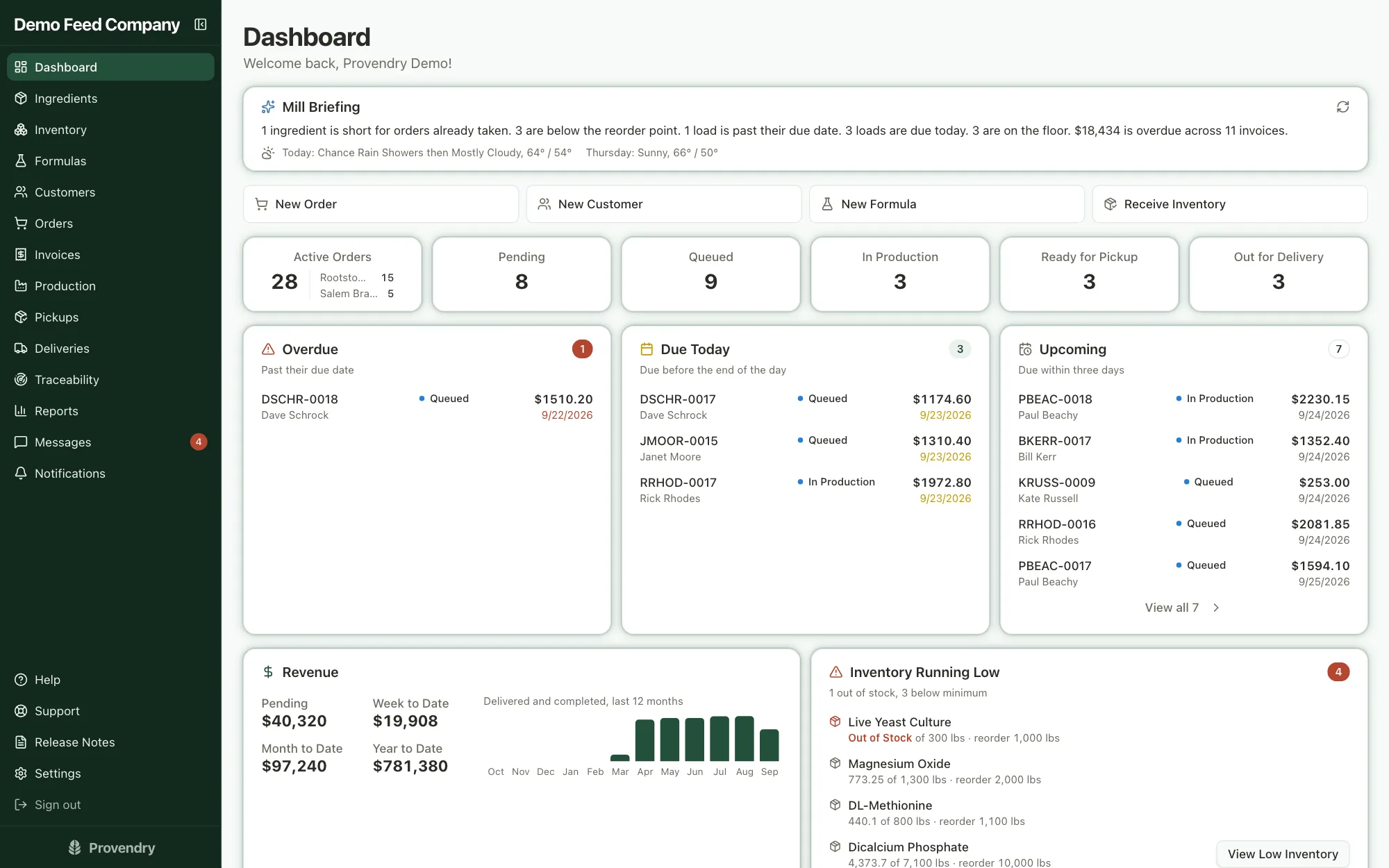
Your account opens with a fully loaded sample mill, so you can click through a real day's work before you type anything. When you're ready, a setup guide walks you through your own mill and one click clears the sample data.
- The dashboard starts each morning with what needs doing: shortages, late loads, what's due
- Add your team, with each person seeing the parts of the mill they work in
02
Build the formula
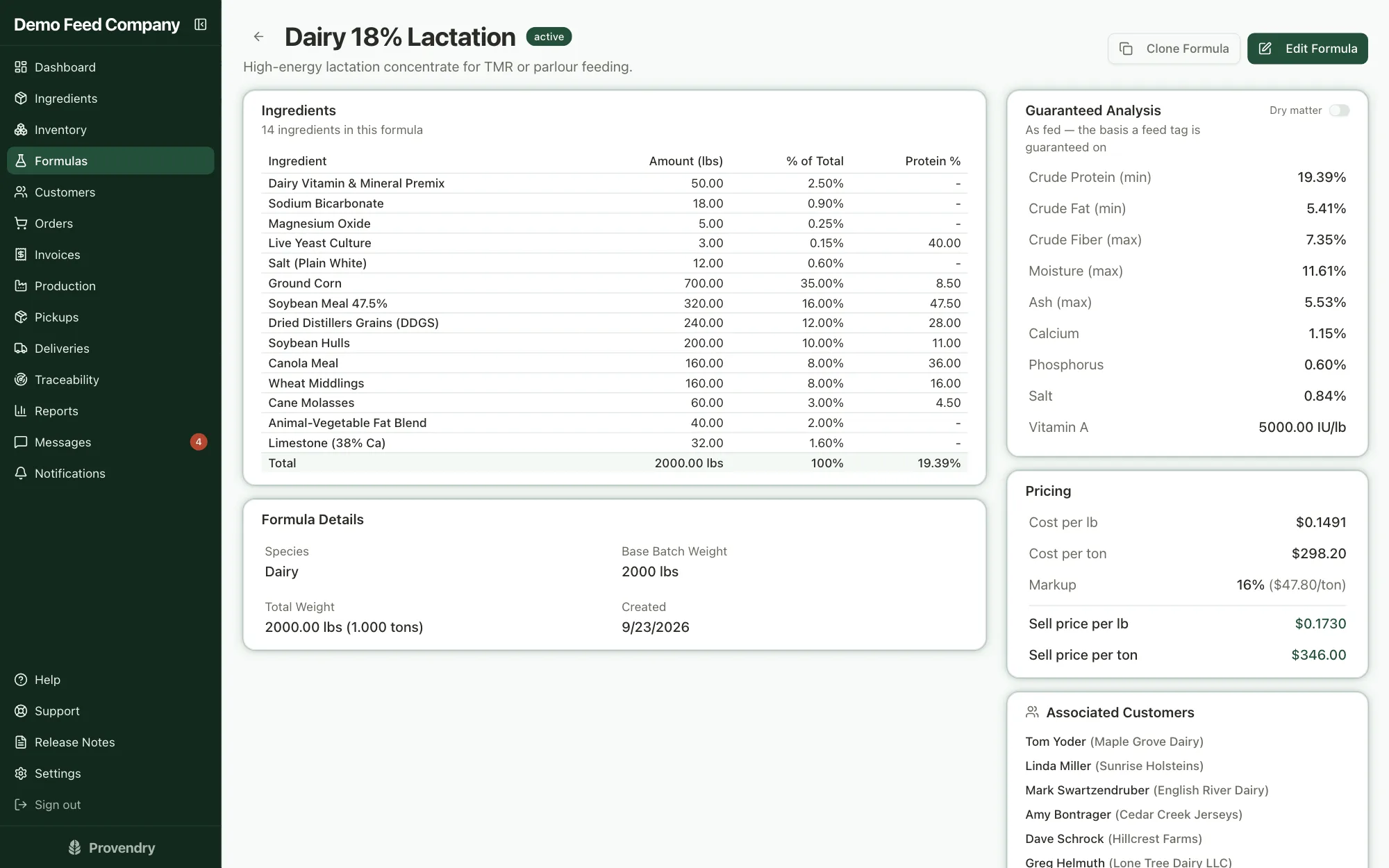
Pull from your ingredient catalog and watch the guaranteed analysis and cost per ton update as you go. Balance to your own ratios, or let least-cost mode find the cheapest mix that meets spec. Set the markup and you see the margin while you're still deciding.
- Volume prices and bag prices set on the formula, so orders price themselves
- Change an ingredient's cost later and every formula reprices
03
Take the order
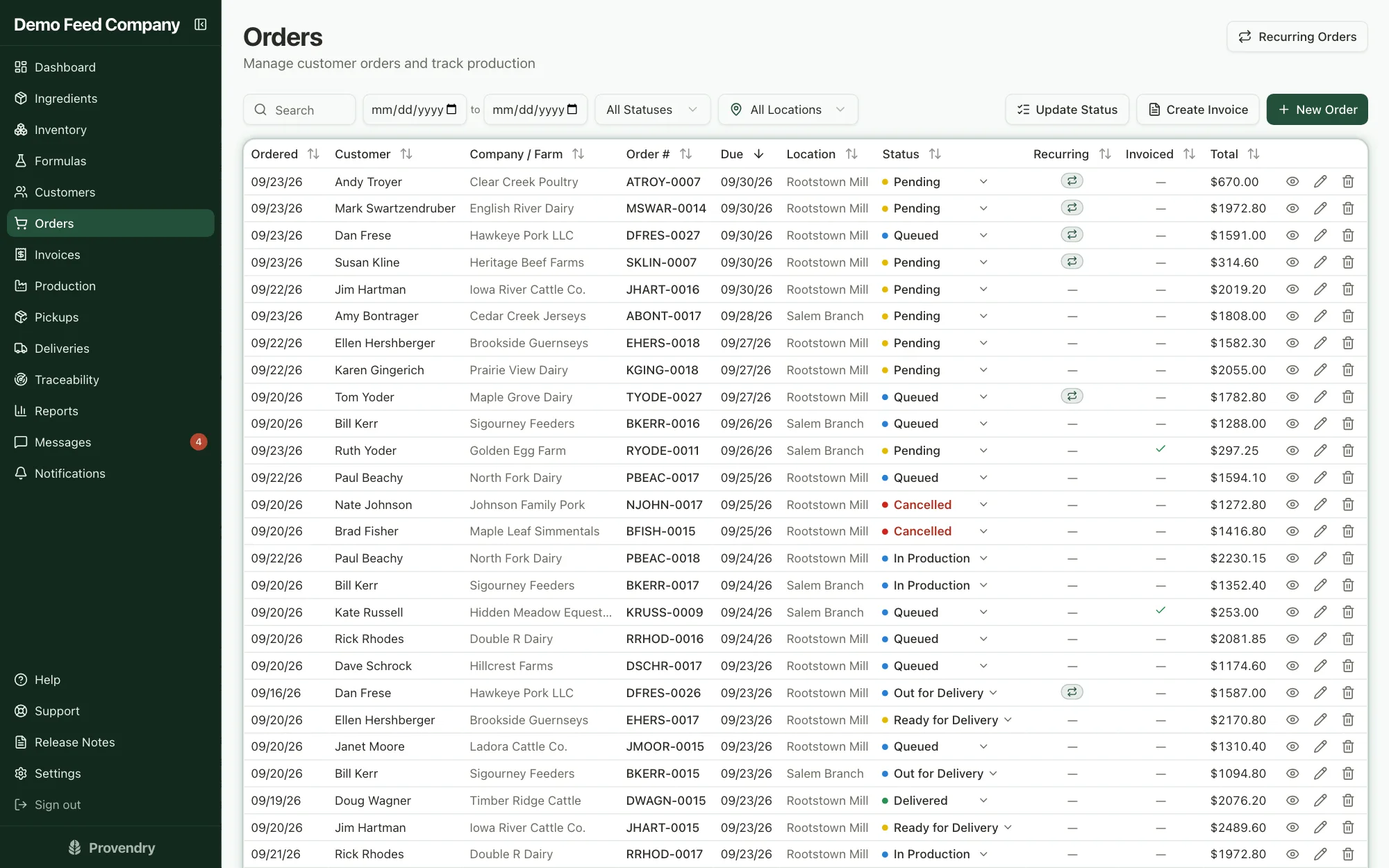
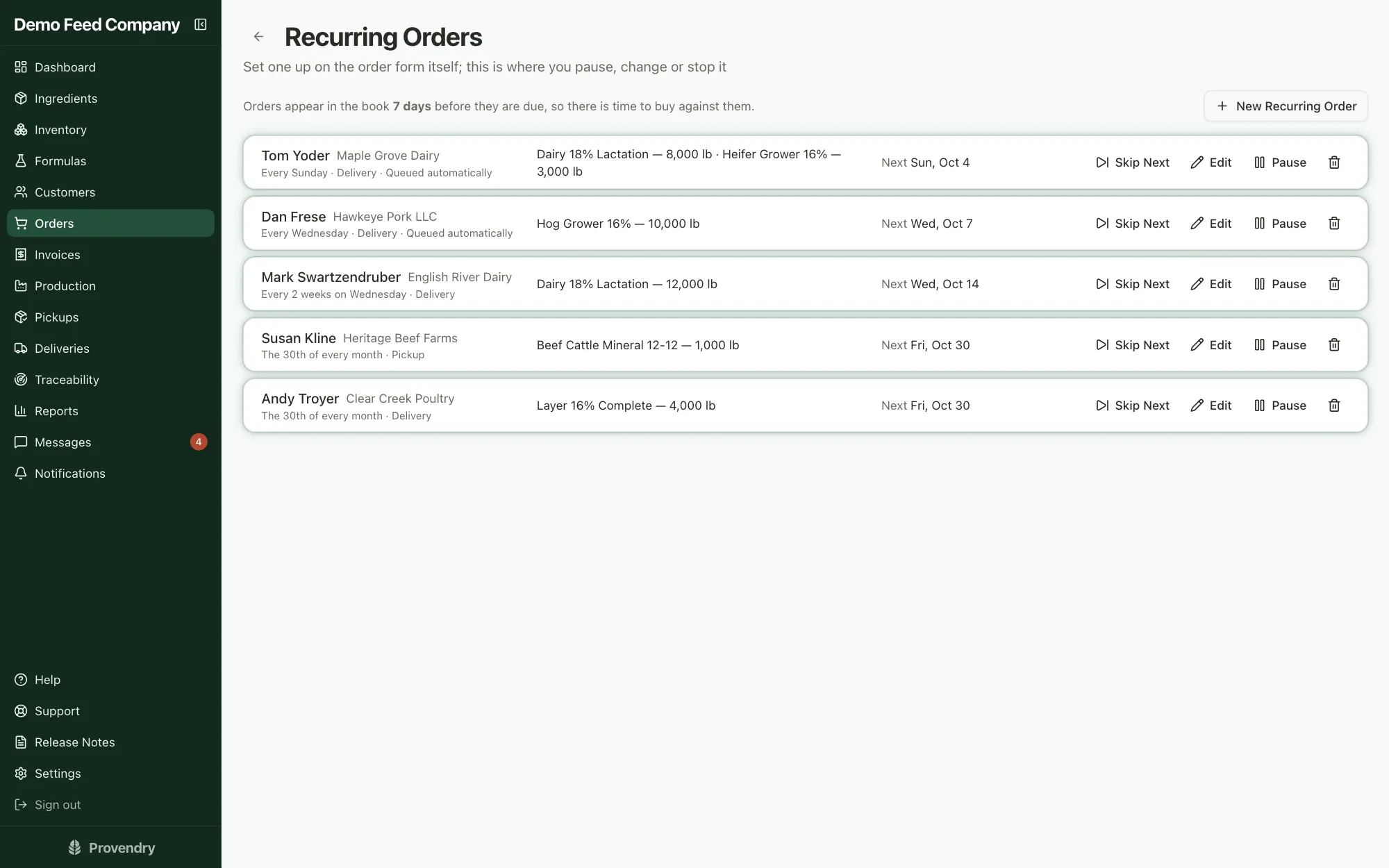
Pick the customer and their formulas, each headed to its own bin. The order prices itself from the formula and locks those prices in. If the farm orders the same thing every week, make it a standing order and it shows up on its own.
- Delivery or pickup, by the pound, the ton or the bag
- Standing orders appear a few days ahead, so there's time to buy against them
04
Run the batch
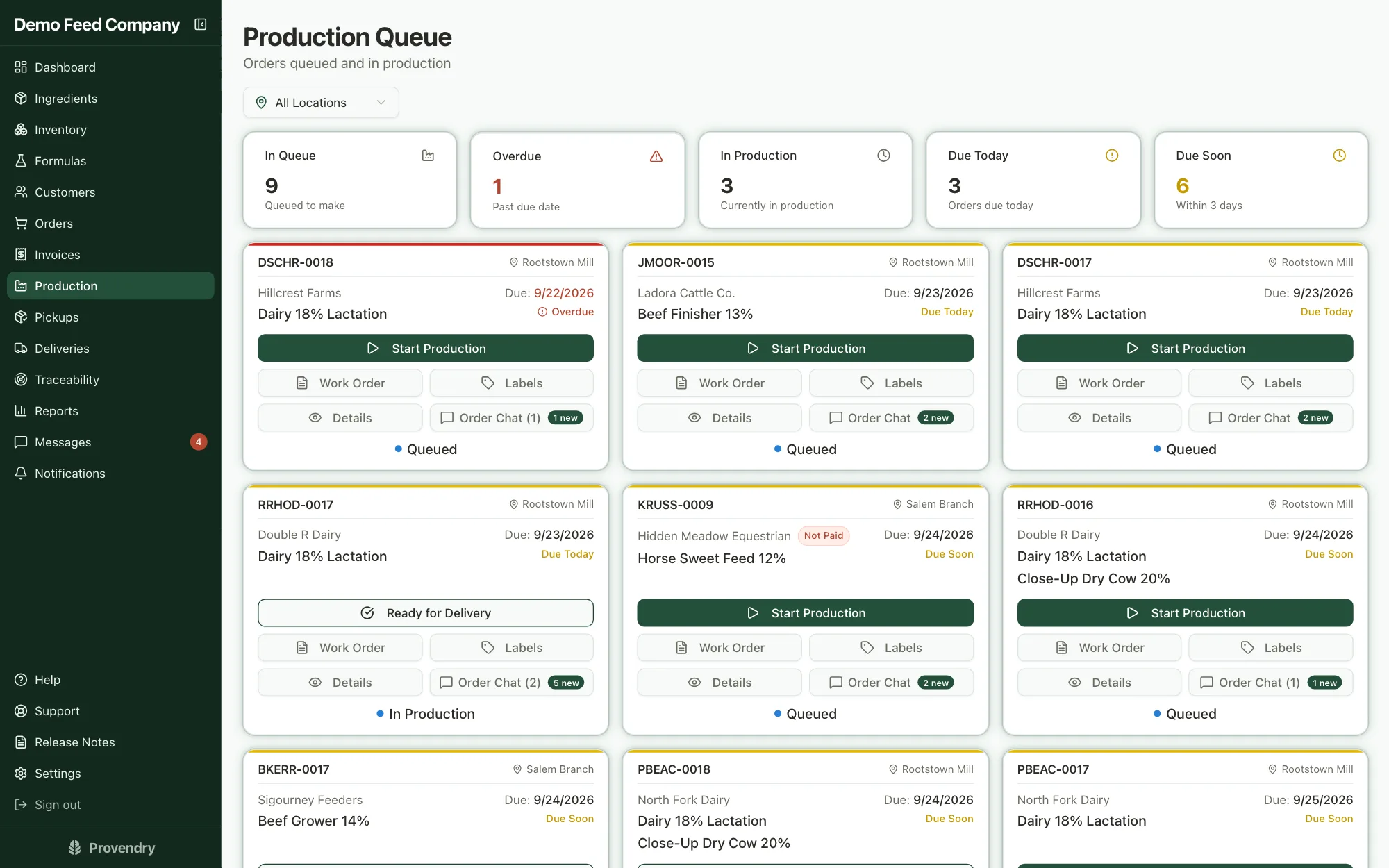
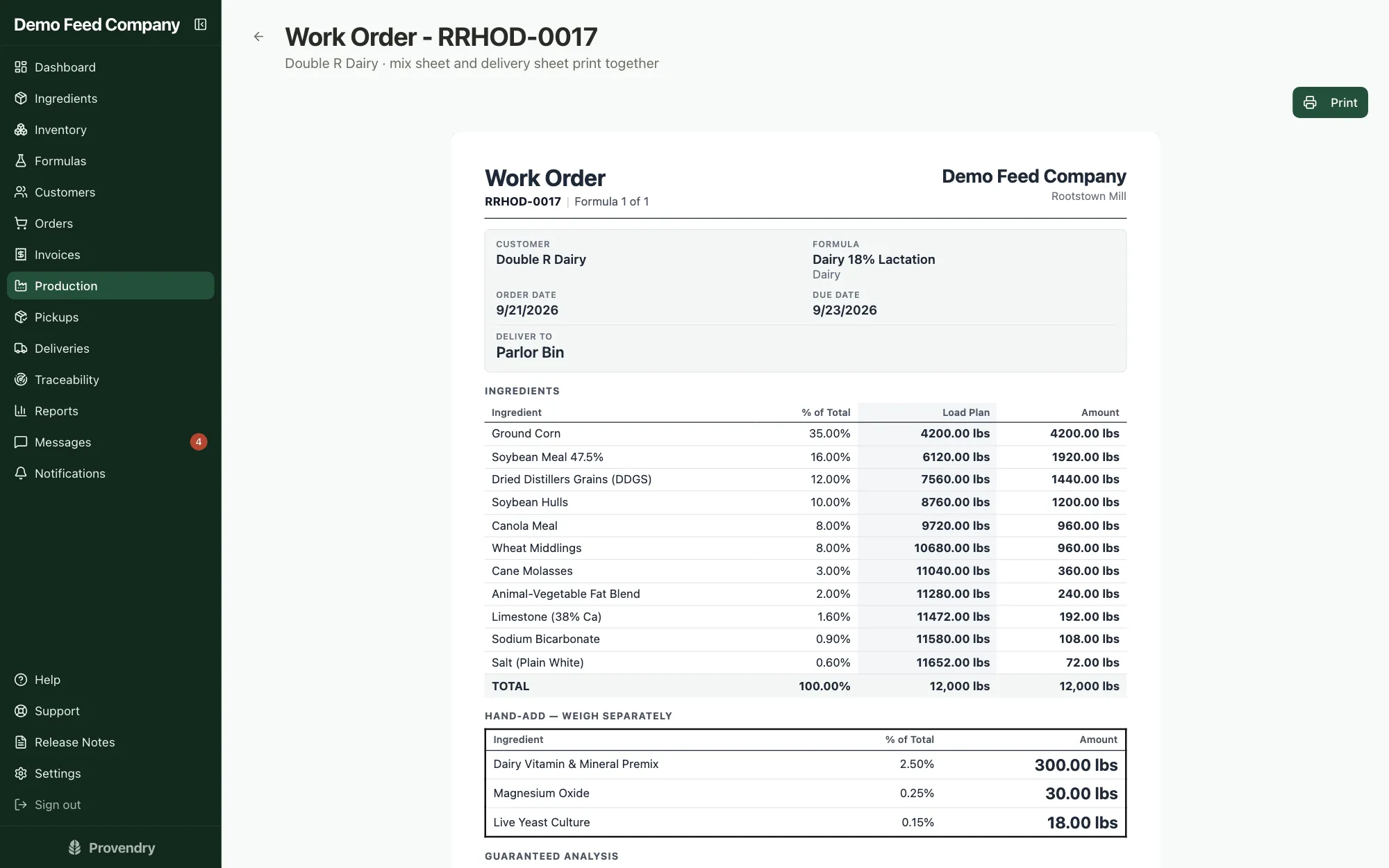
Queued orders land on the production board. Before a batch runs you see whether anything's short; start it, and the stock comes off the shelf from the lot you picked. The work order gives the mixer a running load plan.
- The scale weight to look for after each ingredient
- Hand-add ingredients weighed out separately
05
Tag the load
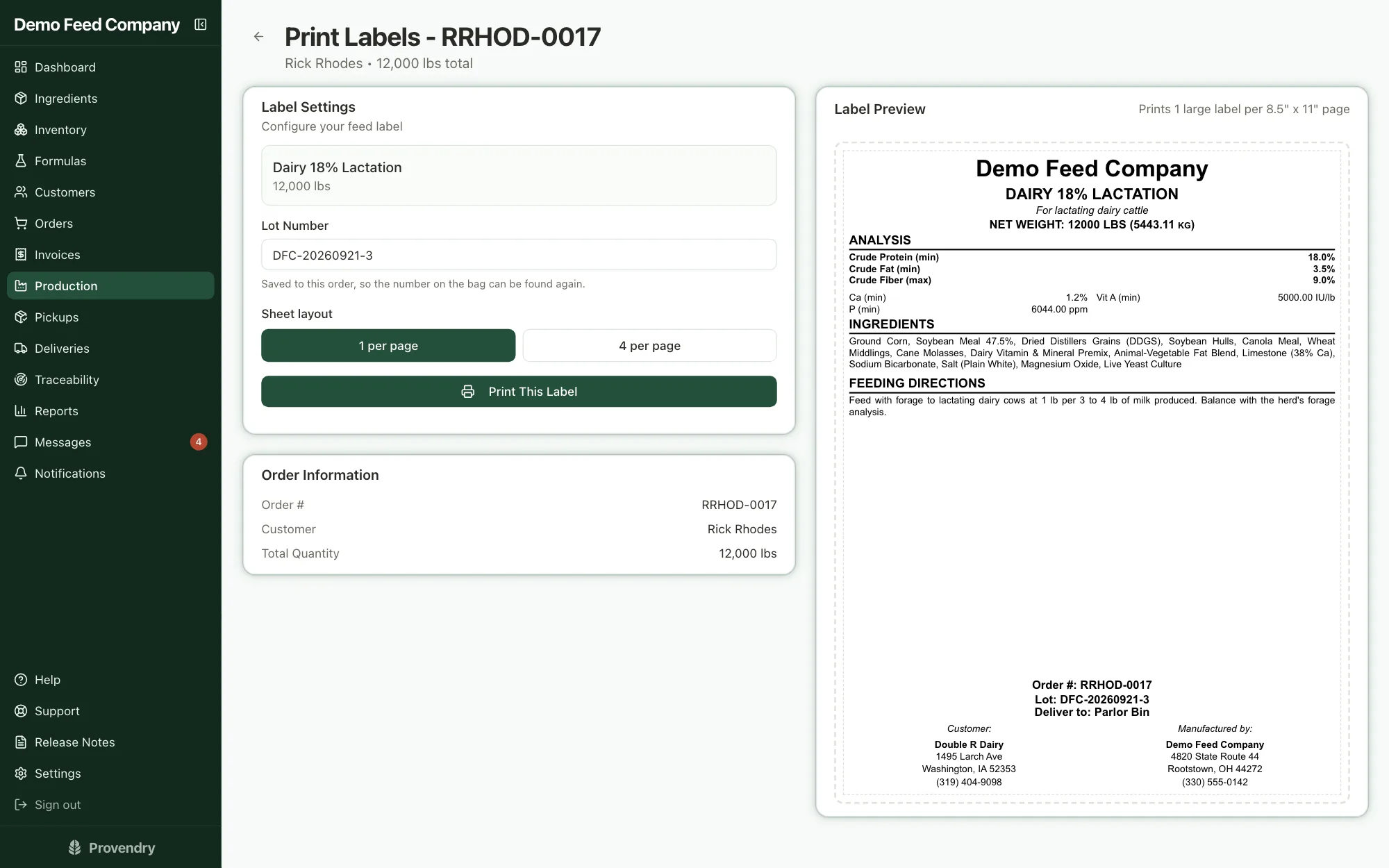
Print the tag from the batch card. The lot number and the bin it's going to are already on it, and the guaranteed analysis comes straight from the formula, to AAFCO or CFIA rules.
- One tag per page for a tote, four per page for bags
06
Get it to the farm
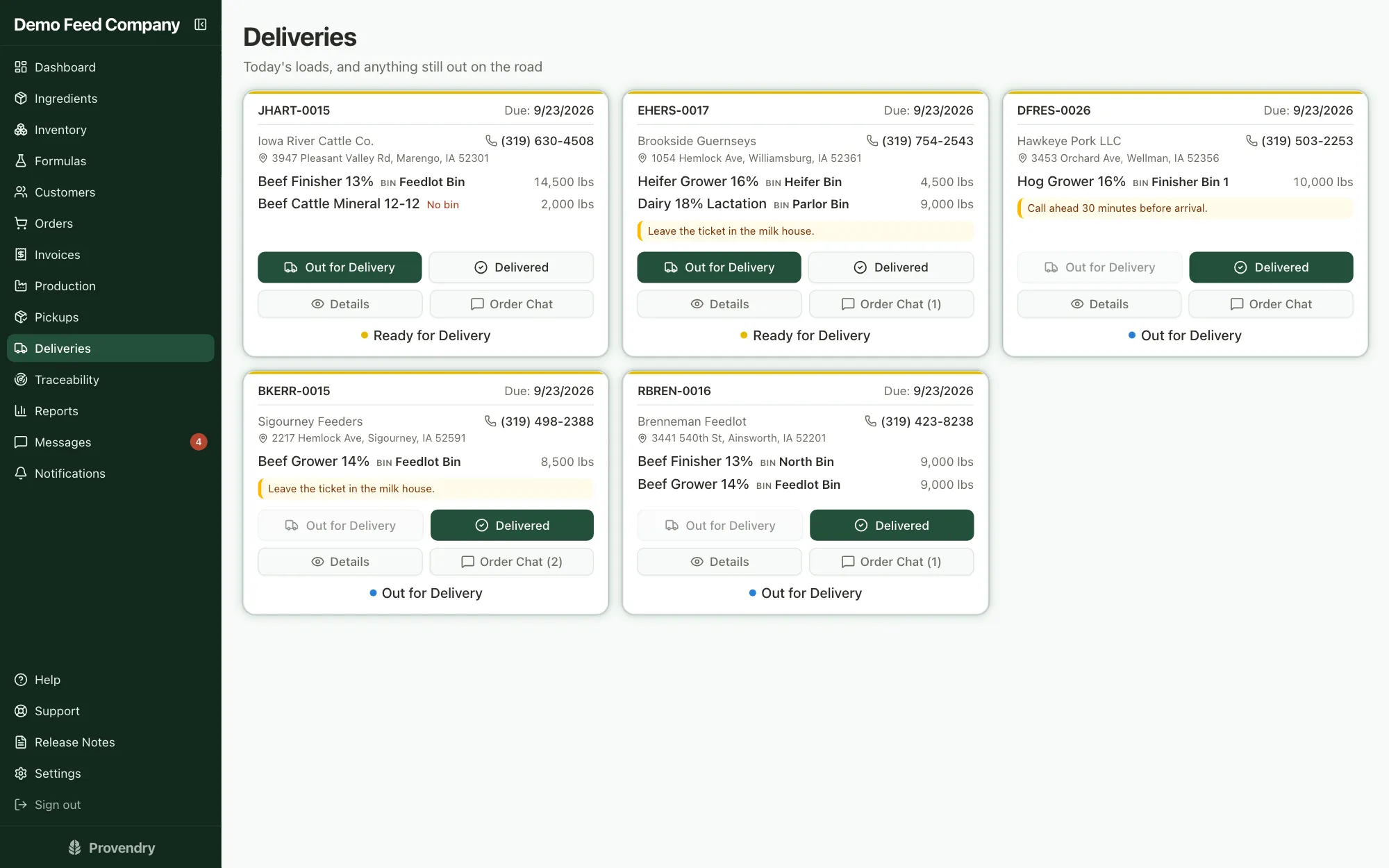
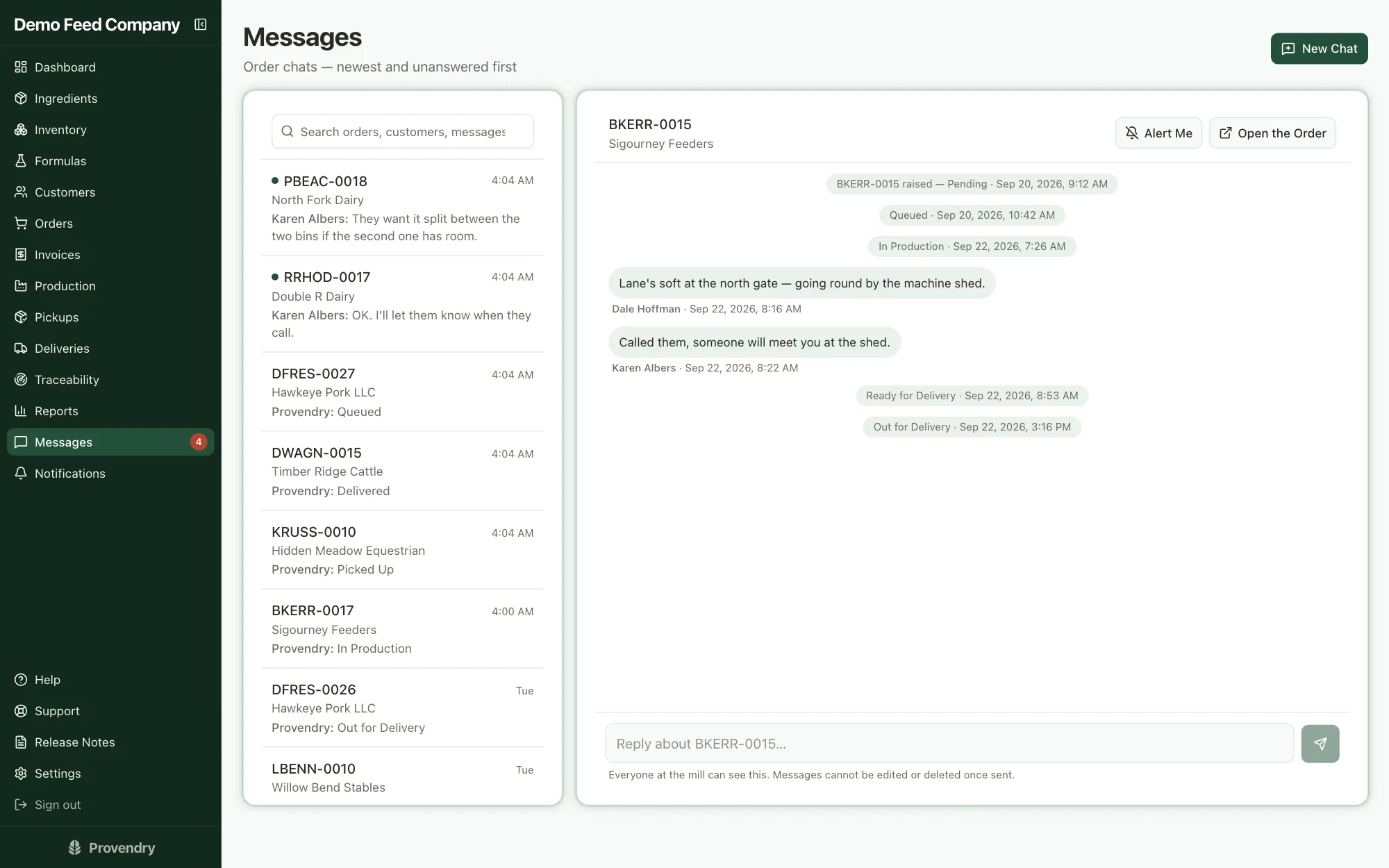
Loads going out show up on the driver's screen with the address, the bins and any notes. Loads being collected show up on the counter's pickup board. Everyone talks about a load in its own Order Chat instead of a group text.
- One tap for Out for Delivery, one for Delivered
- The driver records cash or a check at the farm
- Keeps working when the signal drops
07
Bill it
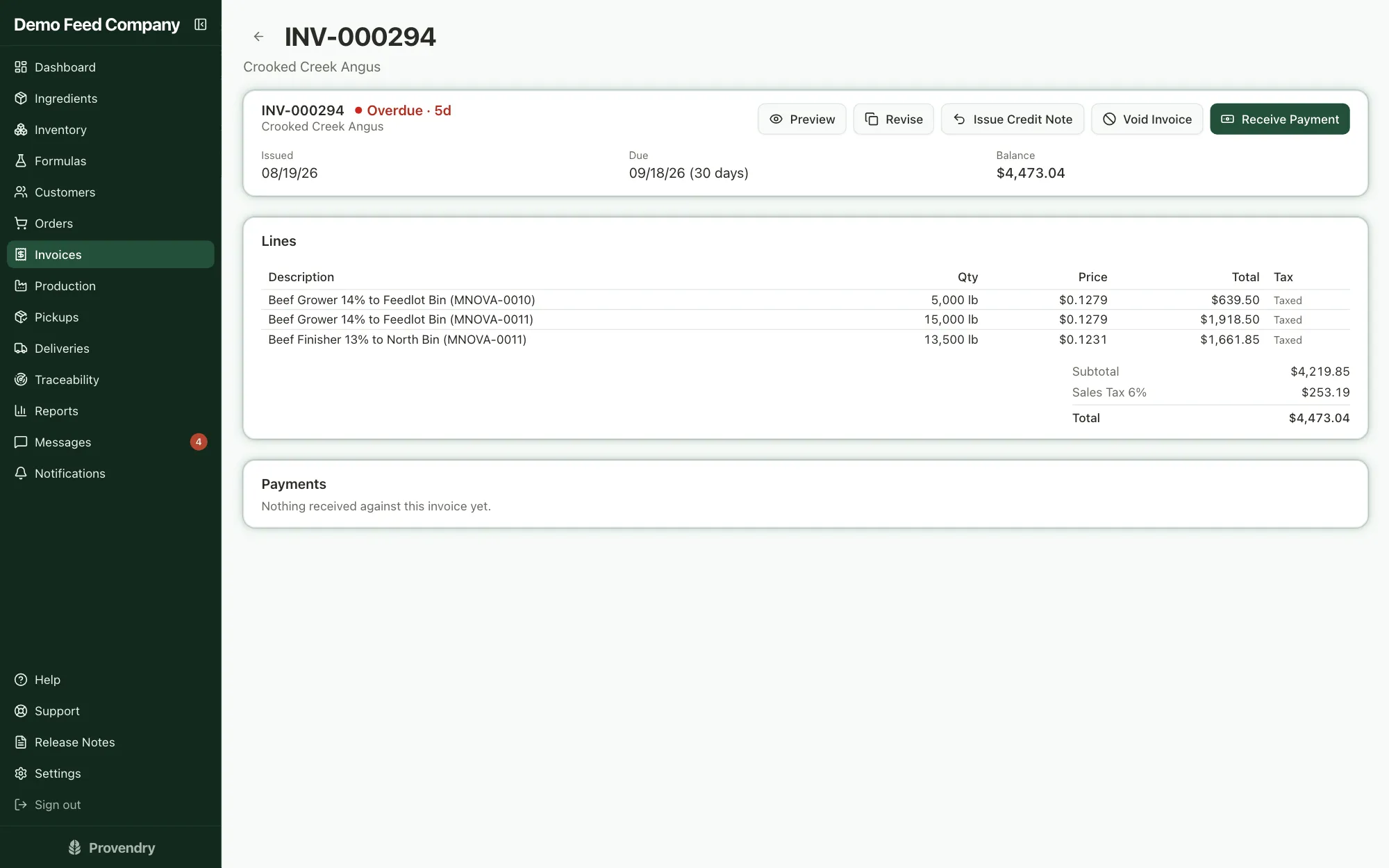
Delivered loads roll onto an invoice, one at a time or the whole month at once, depending on how each customer is billed. It goes out by email with the PDF attached, and when the farm replies, it reaches your office.
- Revise a sent invoice and keep its number, or issue a credit note
- Sales tax, tax-exempt customers, and an export for QuickBooks
08
Get paid
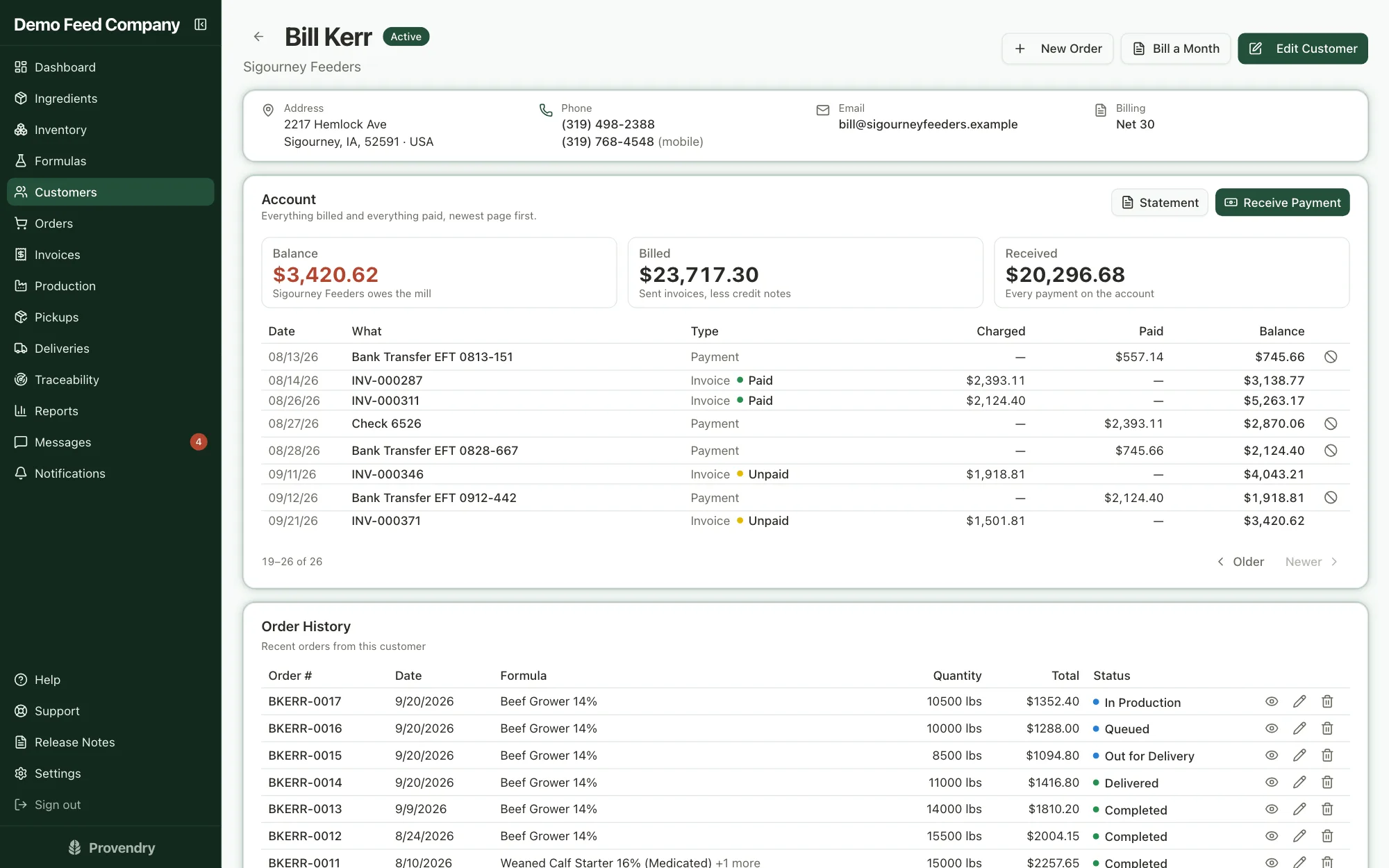
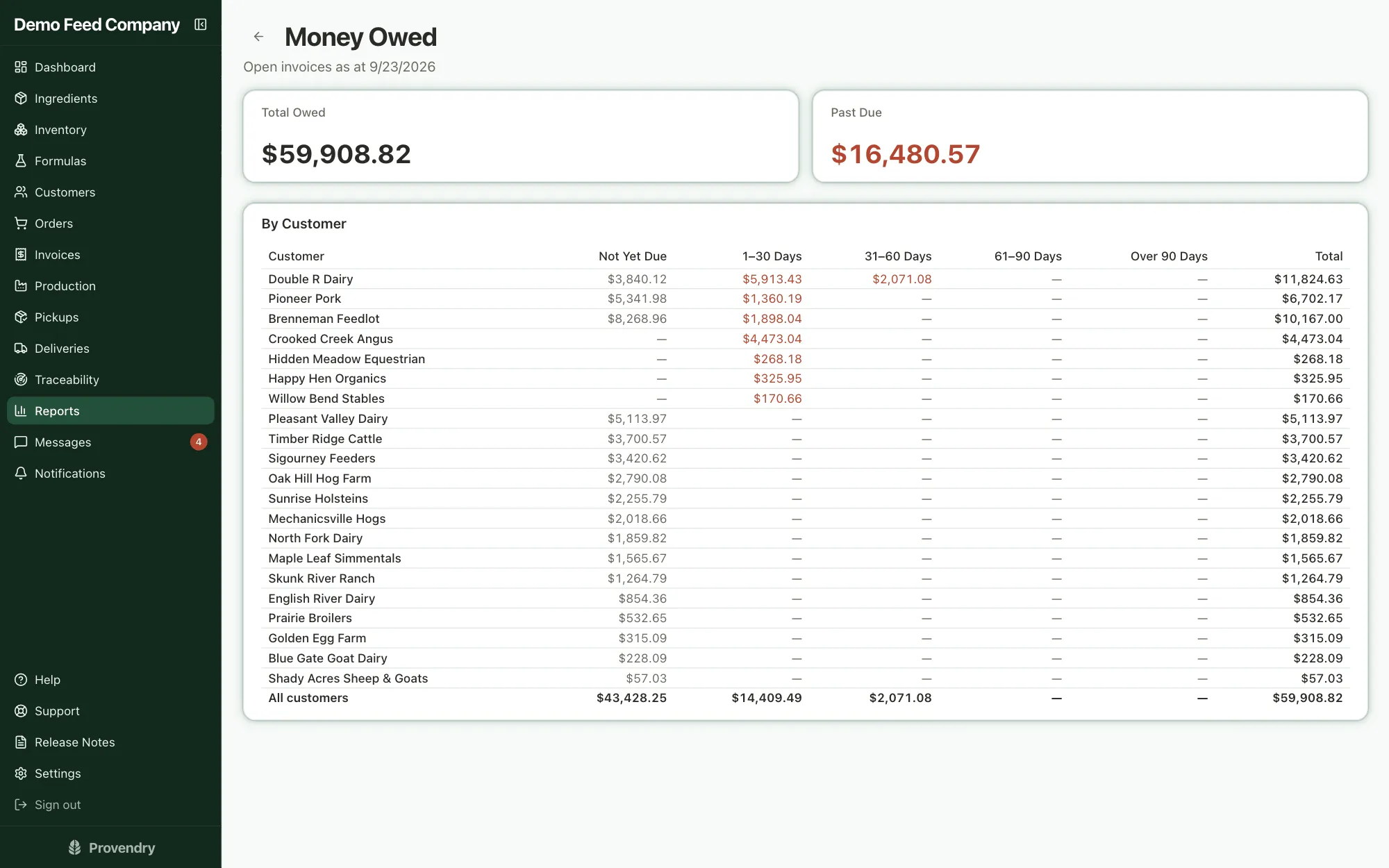
Customers pay online by card or bank transfer, or hand the driver a check. Record any payment against one invoice or several, and every customer's balance stays right. Send monthly statements, and see who owes what and how long they've owed it.
- Overpayments sit on the account as credit
- A bounced check reverses cleanly
09
See how you did
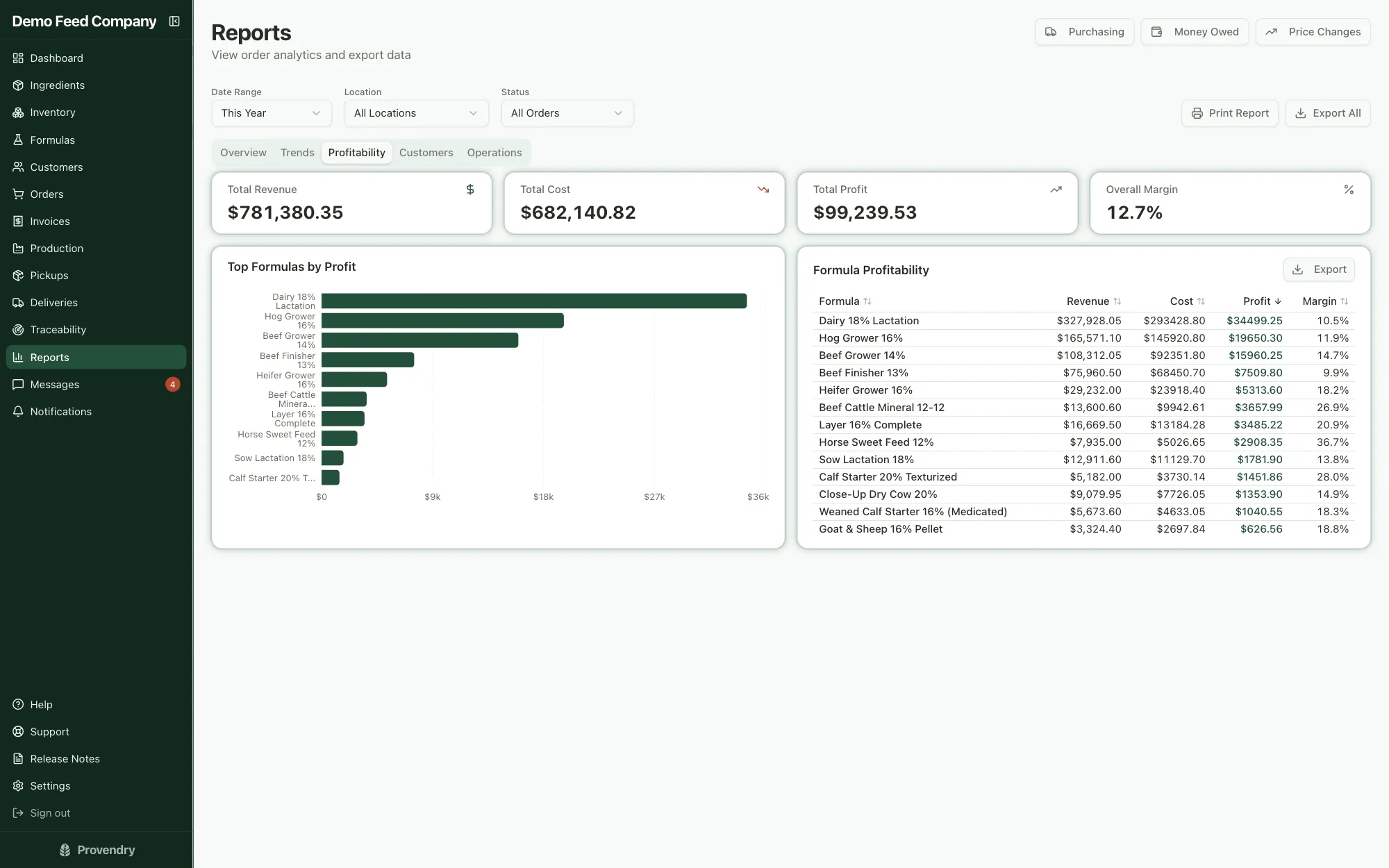
Because formulas carry real costs and orders carry real prices, the reports are your own numbers: which formulas make money, which customers are worth the most, what you spent and with whom.
- Profit and margin by formula
- Revenue and volume by month
10
And when something goes wrong
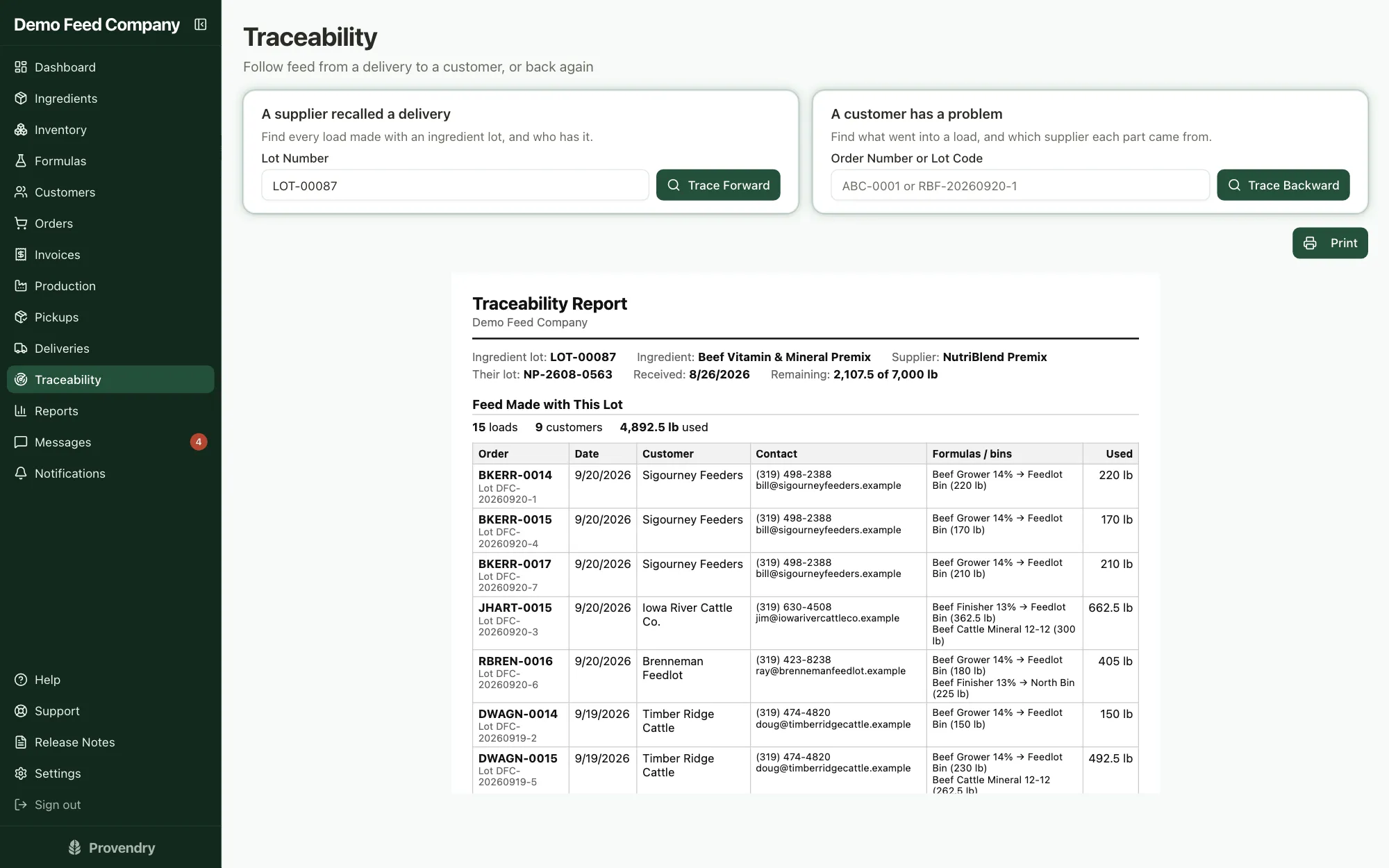
A supplier recalls a lot, or a farm calls about a load. Type in the lot number and see every farm that got it, or start from the order and trace back to every ingredient lot that went in. Print it for the inspector.
- Every change is in an audit log nobody can edit
Run a day of your own
Seven days free, no card to start. Your account opens with a fully loaded sample mill, so everything on this page is there to click through on day one.