Features
Everything your feed mill runs on, in one place
Feed formulation that shows you the margin
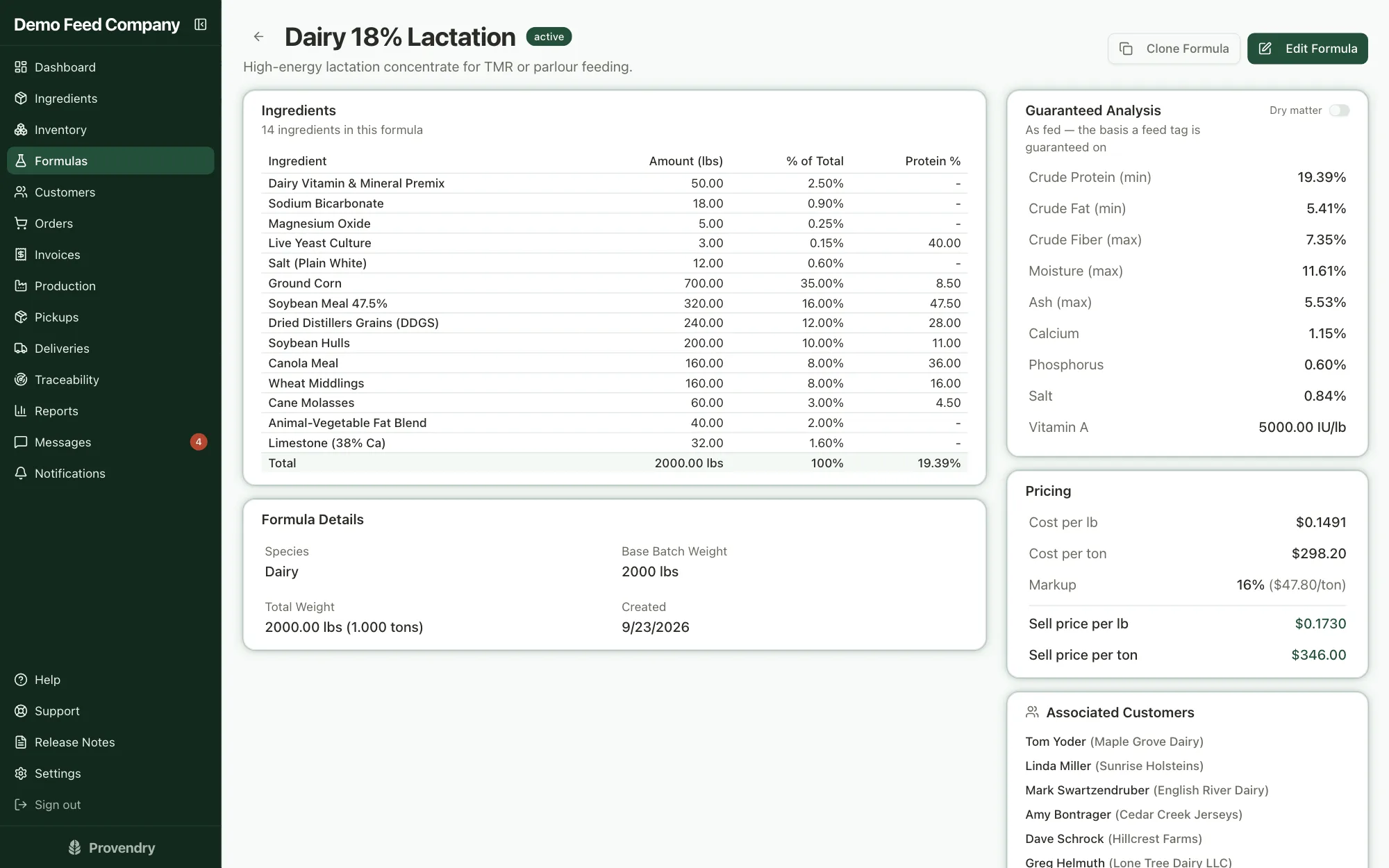
Build a formula from your own ingredient catalog and watch the guaranteed analysis and the cost per ton move as you go. Set the sell price in the same place, so you know what a formula makes before anybody orders it.
- Two solver modes: keep your own ratios and nudge them just enough to hit spec, or find the least-cost mix that meets it
- After a least-cost solve, see which limit is driving the price and what relaxing it would save per ton
- See which ingredients your cost rests on, and what every cent they move is worth per ton
- When prices move, see which formulas could be made cheaper at today's prices, without touching premixes or medications
- Lock an ingredient's amount, or give any ingredient a minimum and maximum
- Markup as a percentage, per ton or per pound, with the sell price and margin beside it
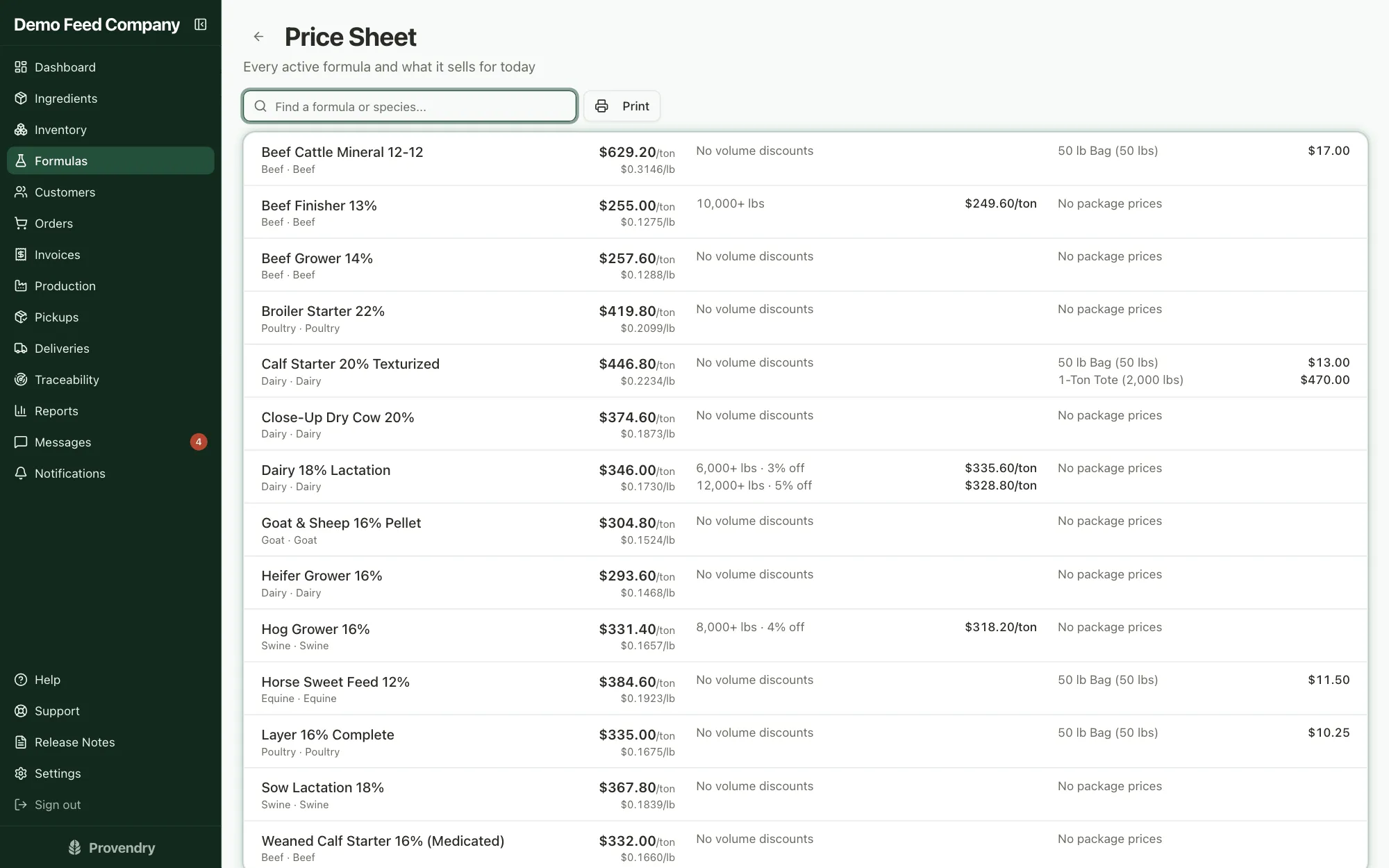
- Volume pricing and fixed sack or tote prices, flagged red if one would sell at a loss
- Change an ingredient's cost once and every formula that uses it reprices
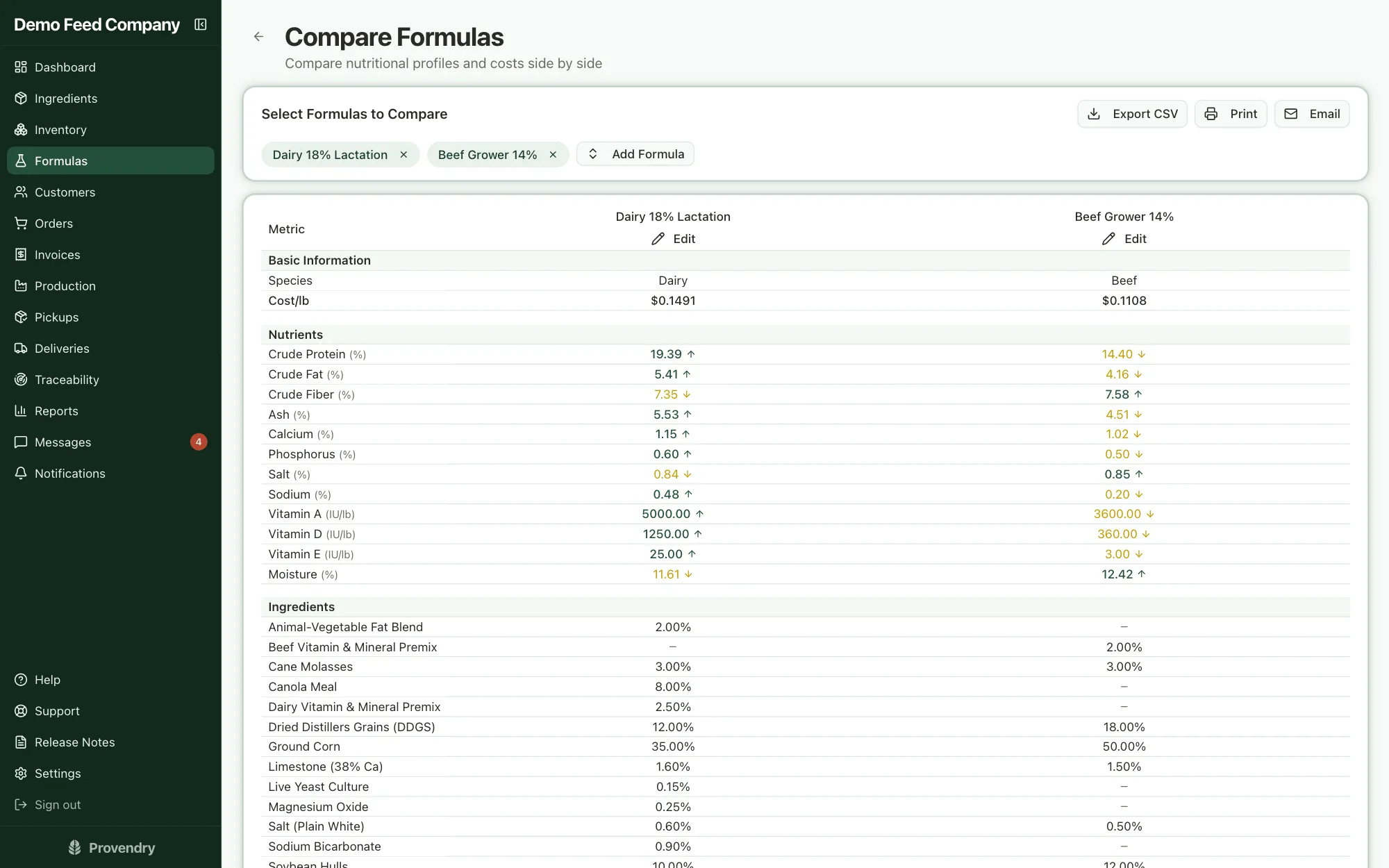
- Dry-matter view, version history with the changes laid side by side, and side-by-side comparison of any formulas
- A price sheet of every formula's standard, volume and package prices, ready to print
An ingredient catalog that fills itself in
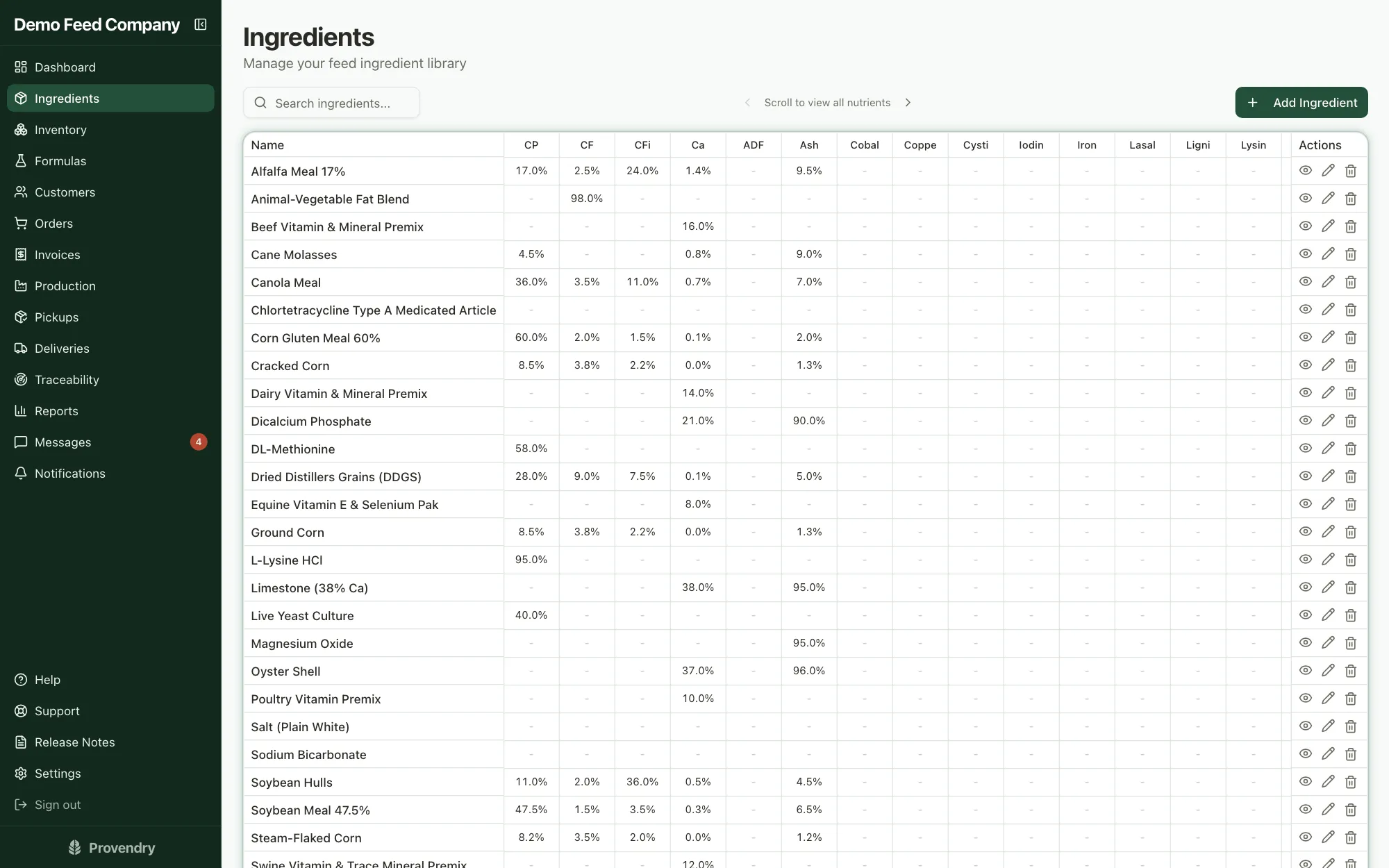
Every ingredient carries its nutrient profile, supplier and current cost. Adding one is a photo: snap the supplier's spec sheet and Provendry reads the values and converts them into your units for you to check.
- Compare any nutrient down the whole catalog in a spreadsheet-style view
- Spec-sheet reader for a PDF, a photo, or the phone's camera, with unit conversion shown, never applied silently
- Your own nutrients, units and the abbreviations that print on the tag
- Mark which ingredients go in by the bin and which are weighed and hand-added
Inventory that stays honest, down to the lot
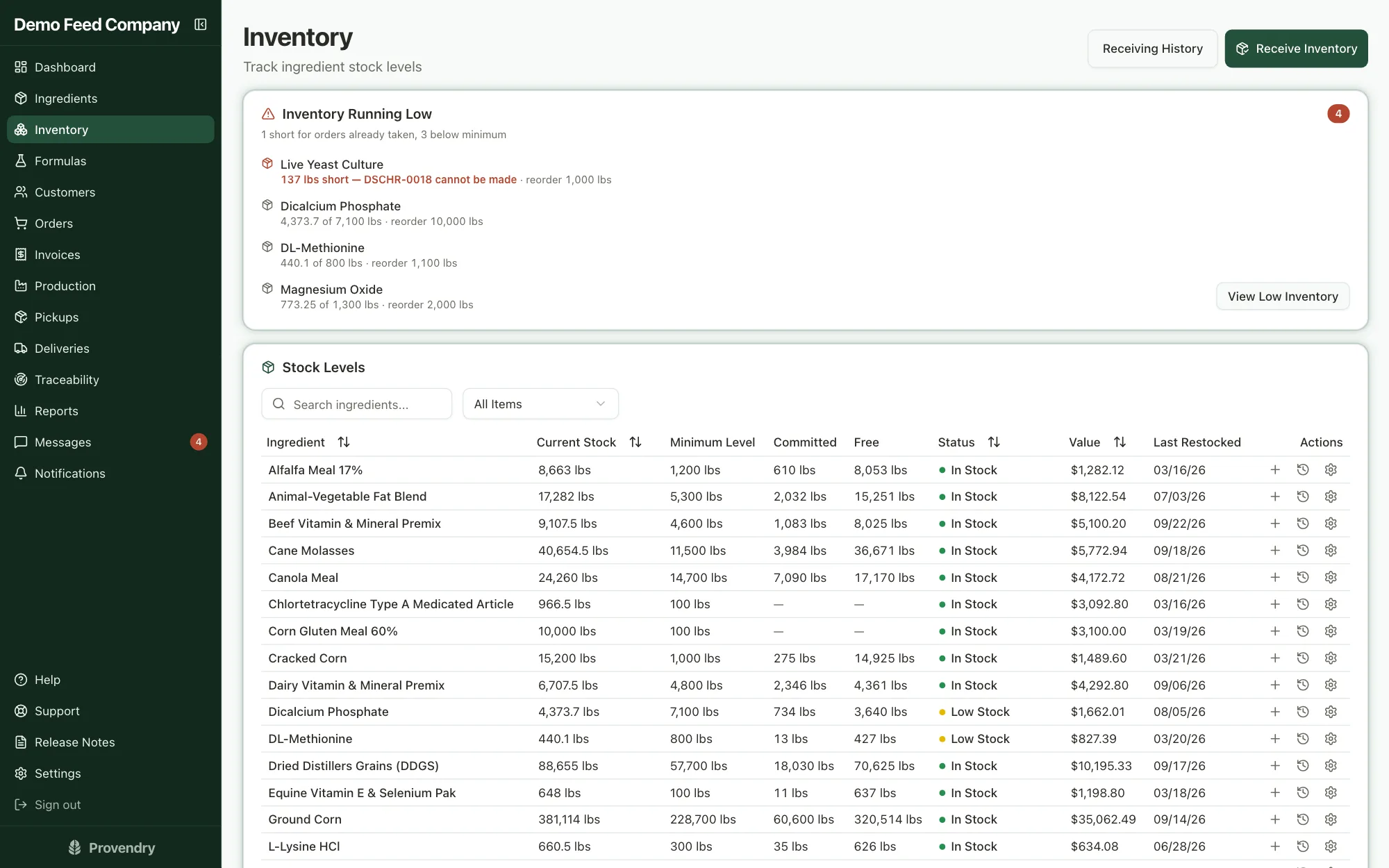
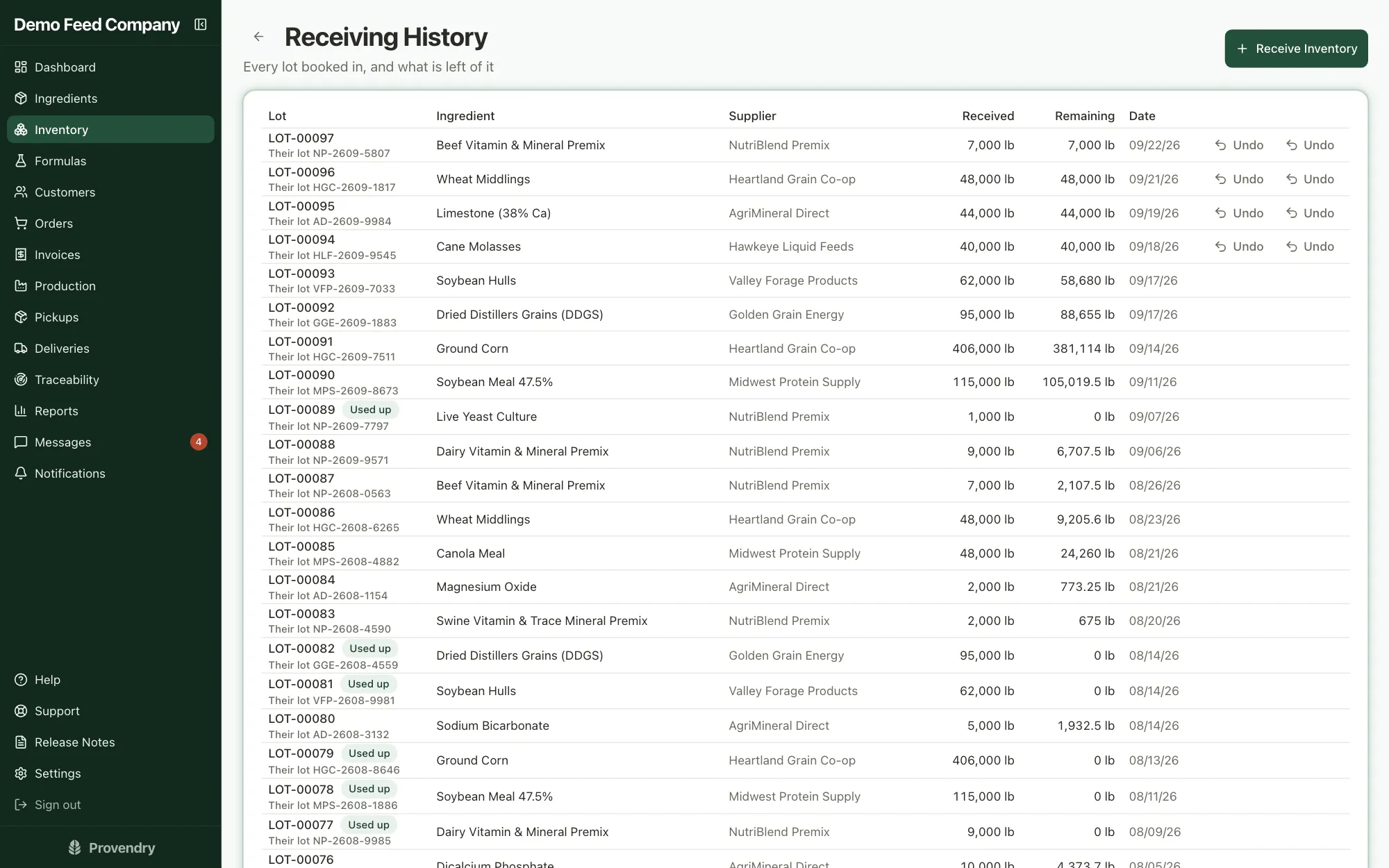
Stock comes off the shelf when a batch starts, and you see a shortage before you mix rather than halfway through. Every delivery you receive becomes a lot you can trace.
- Warnings in order of urgency: short for orders already booked, out of stock, below your minimum
- Book a delivery in with the supplier's lot number, certificate and cost
- Photograph a delivery ticket or supplier invoice and the form fills itself in; nothing is saved until you confirm
- Receive at a new price and the ingredient's cost re-averages itself, with every change logged
- Undo a delivery entered by mistake, as long as none of it has been used
- Cancelling a batch puts the stock back
Orders, and the standing ones that repeat themselves
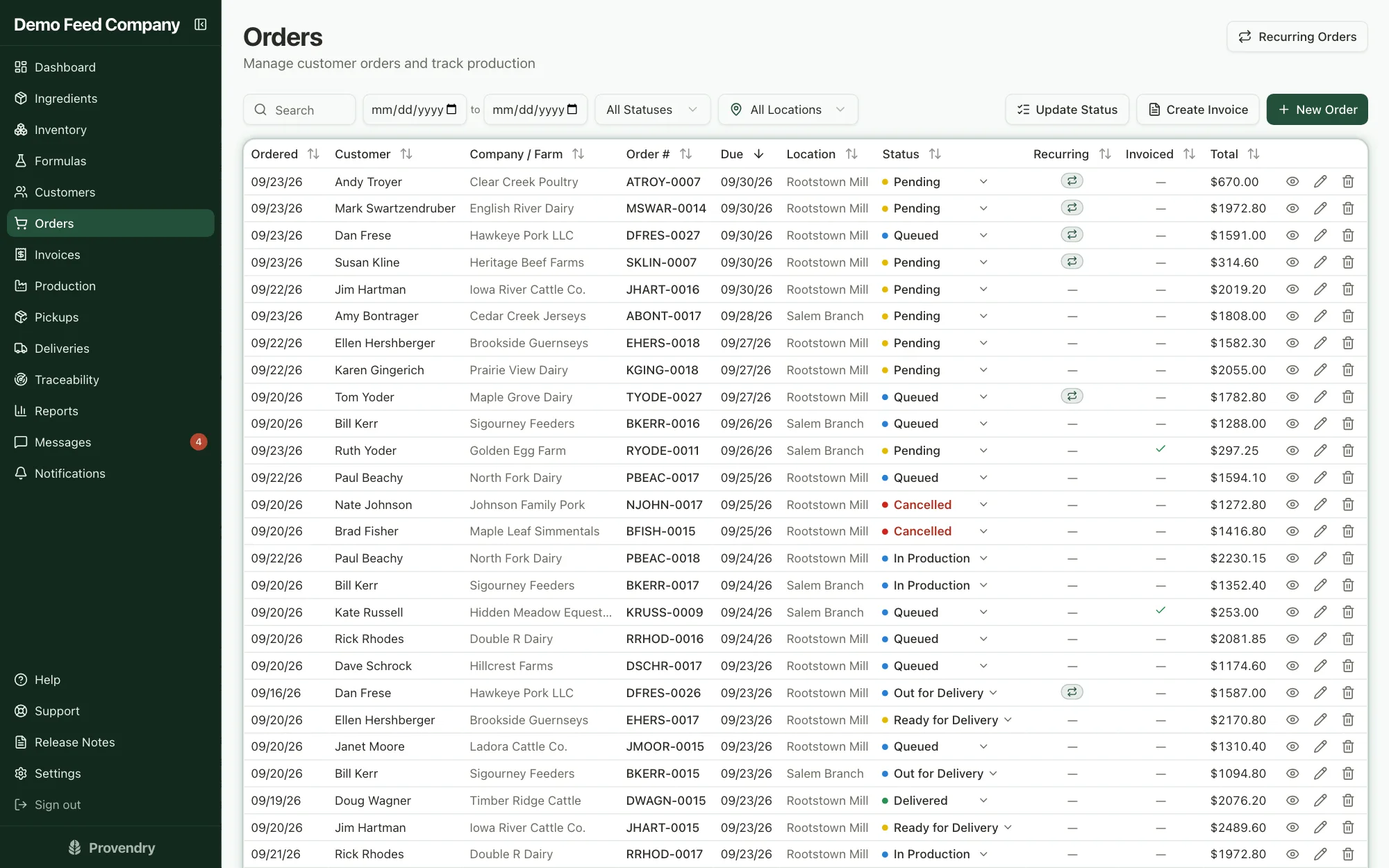
One order can carry several formulas, each going to its own bin on the farm. Prices are locked in when the order is taken, so a later cost change never rewrites an old order.
- Sell by the pound, the ton or the bag; the volume price is picked automatically and a hand-typed price sticks
- Contract prices per customer, and volume discounts that show as their own invoice line
- Part sacks, and straight commodities sold by weight
- Delivery or pickup, and the order moves through the right steps for each
- Order numbers assigned for you, by company, with no duplicates
- Tick several orders to move them along or put them on one invoice
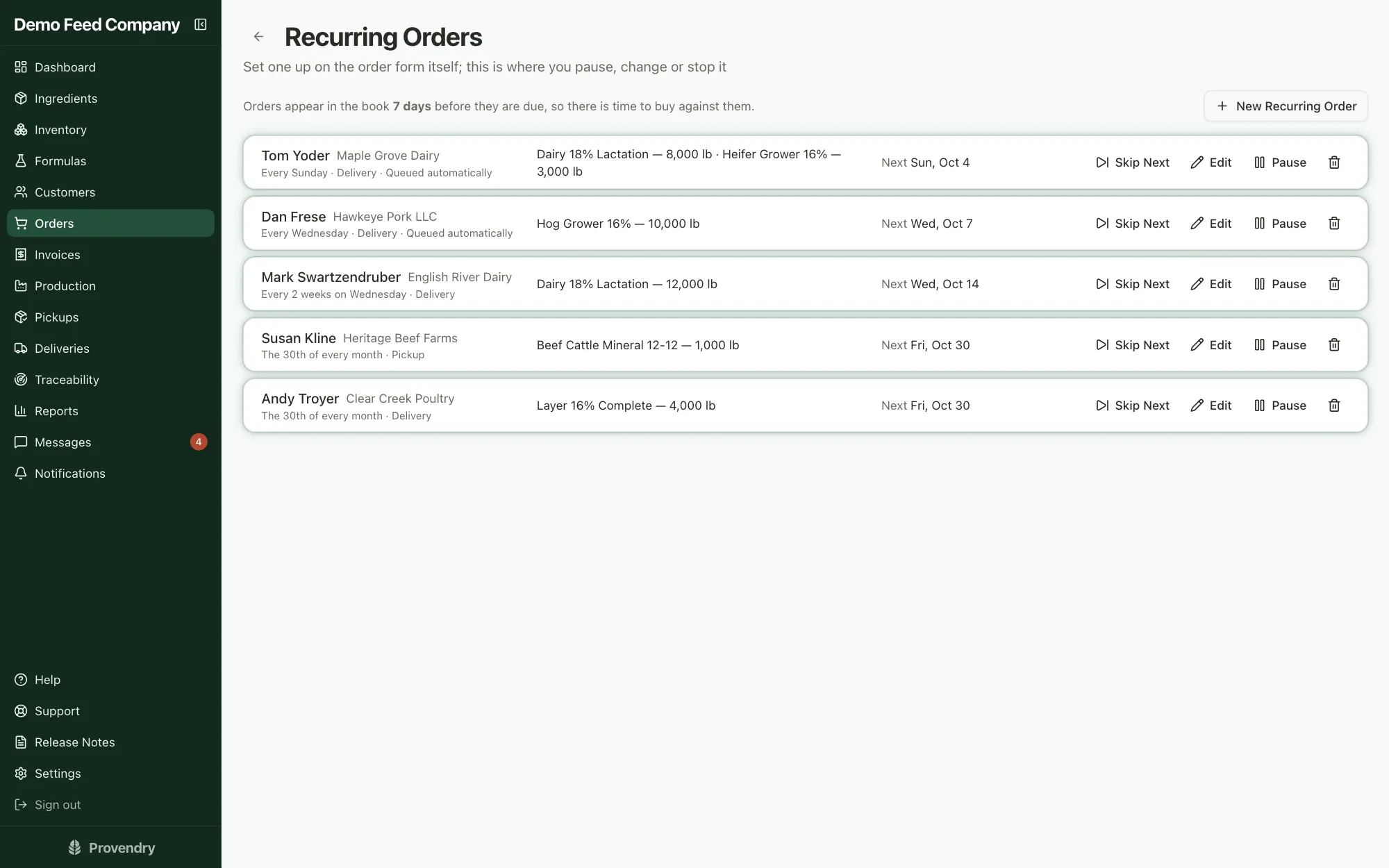
- Standing orders weekly, every other week, monthly or quarterly; pause one or skip the next without stopping it
A production board the floor actually uses
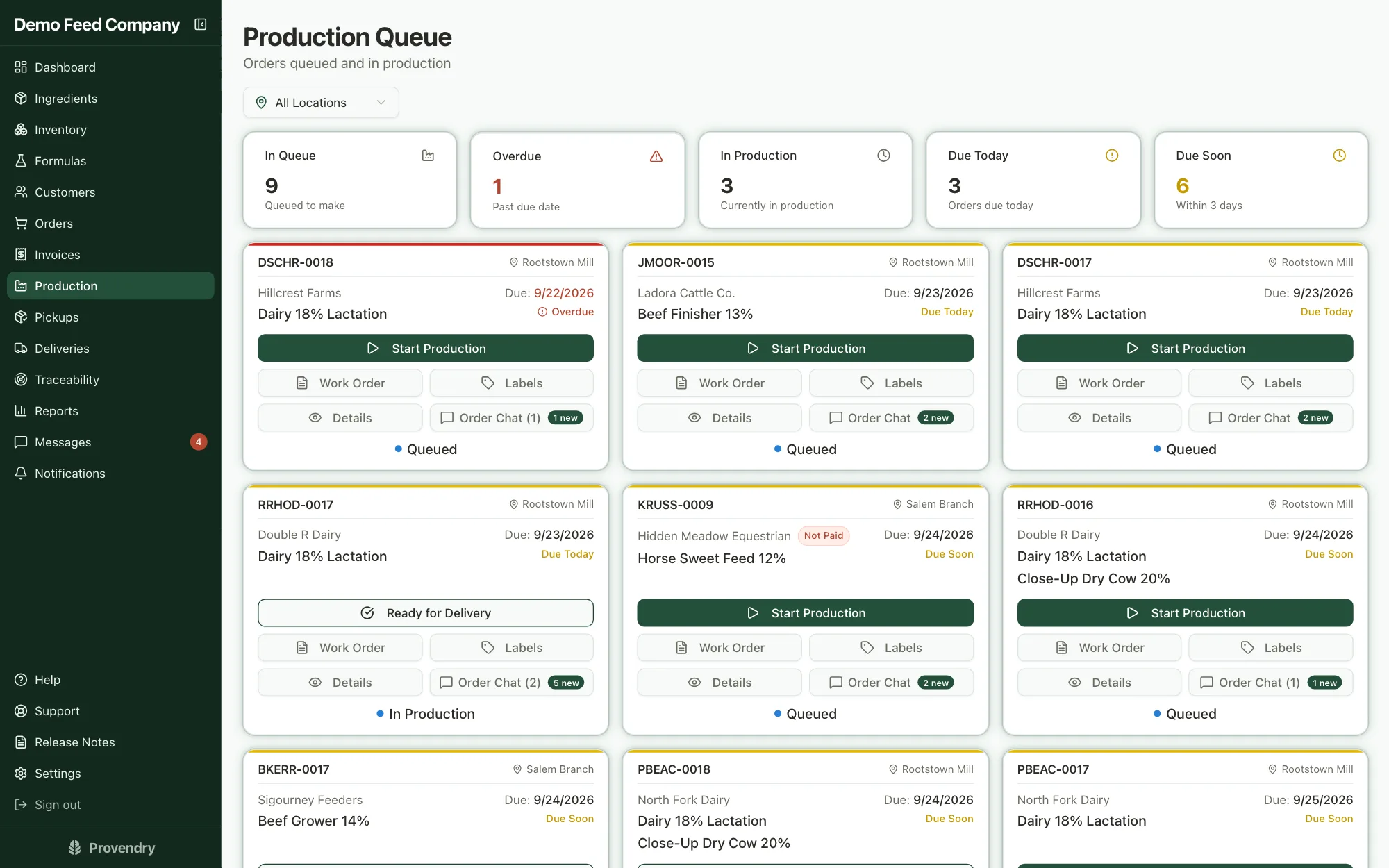
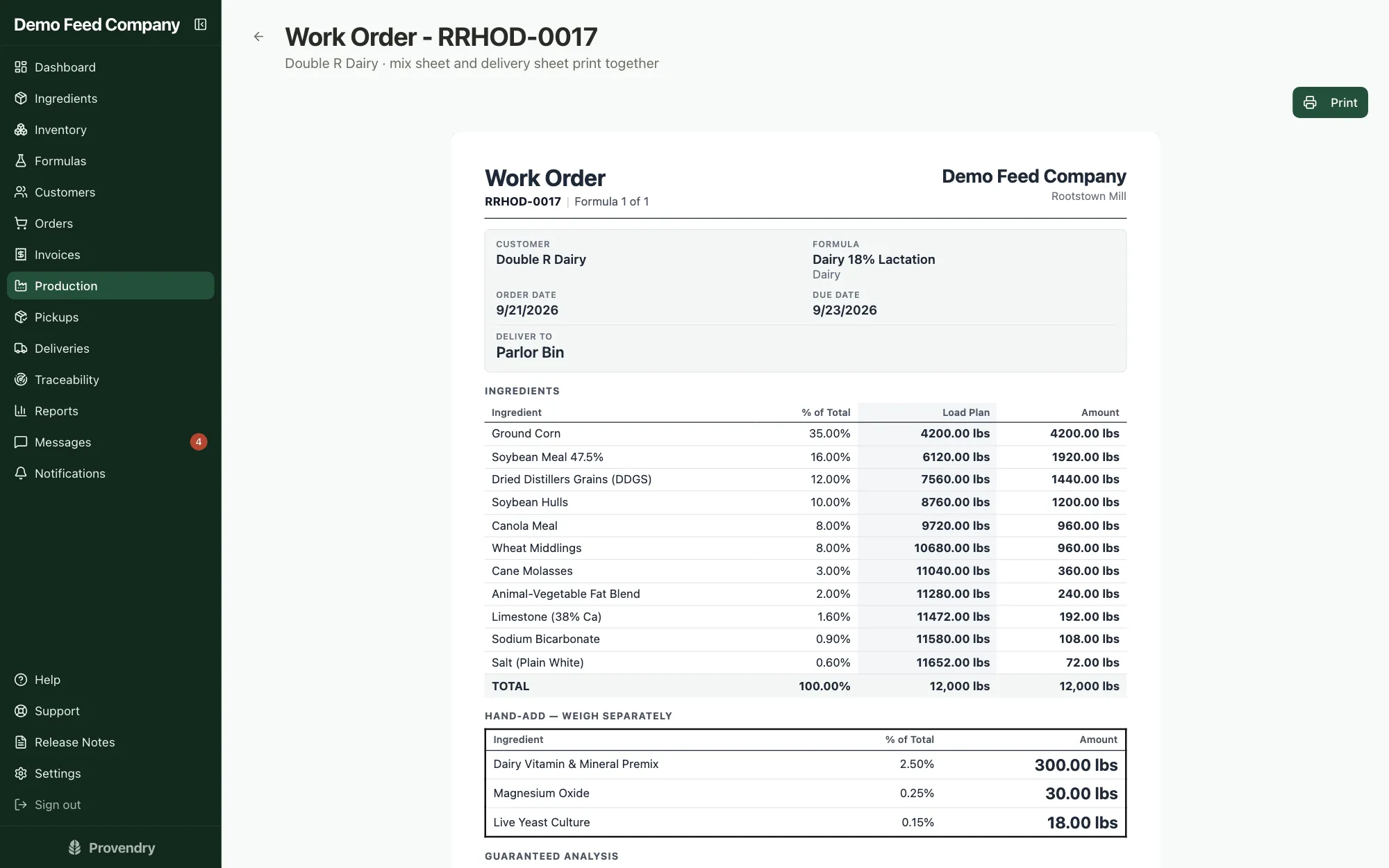
Queued orders land on the board, and every card has one button for the next step. The work order prints the load plan the way the person at the mixer needs it.
- What's queued, overdue, in production, due today and due soon, at a glance
- Pick which delivered lot a batch draws from before it runs
- Work order with a running load plan: the scale weight to look for after each ingredient
- Hand-add ingredients listed separately, in the weights to measure out
- A delivery sheet with the bins for each formula, printed with the work order
- Which truck compartment each feed rides in, and the bin it empties into
- A lot number for each feed on the order, however many batches it takes
Feed tags built from the formula (AAFCO and CFIA)
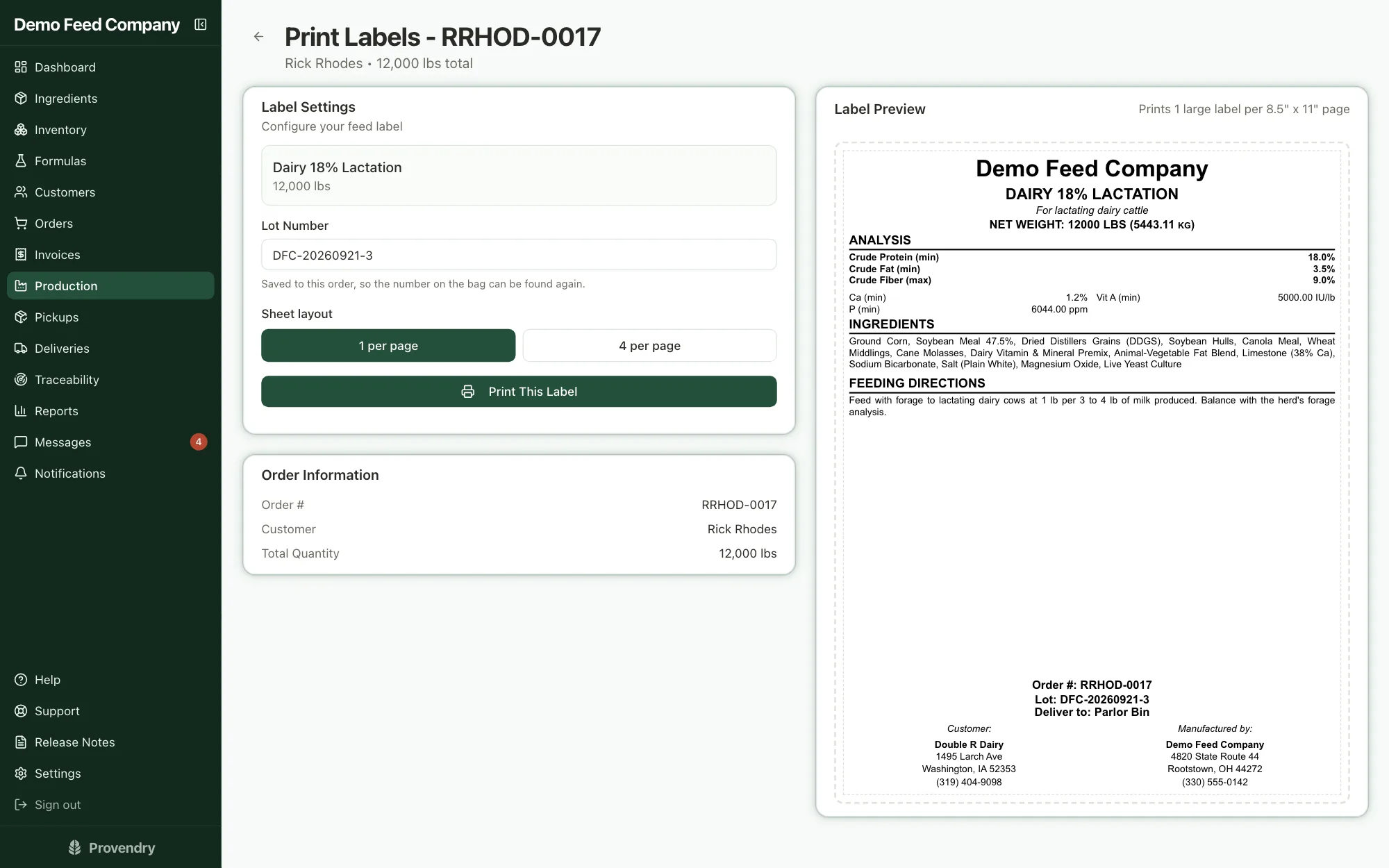
The tag comes straight from the formula and the order, so it always says what is in the bag. US mills get AAFCO tags; Canadian mills get bilingual CFIA tags in metric.
- The guarantees each species requires, with the ppm-or-percent rule applied for you
- Purpose statement, ingredient list, feeding directions, your precautionary text and your manufacturer details
- On a Canadian tag, the French of your directions and cautions is written for you to check
- The lot code, the bin it's going to and the net weight printed on it
- One tag per page for a tote, four per page for a stack of bags
- Printed right from the production card
Pickups at the counter, deliveries on the road
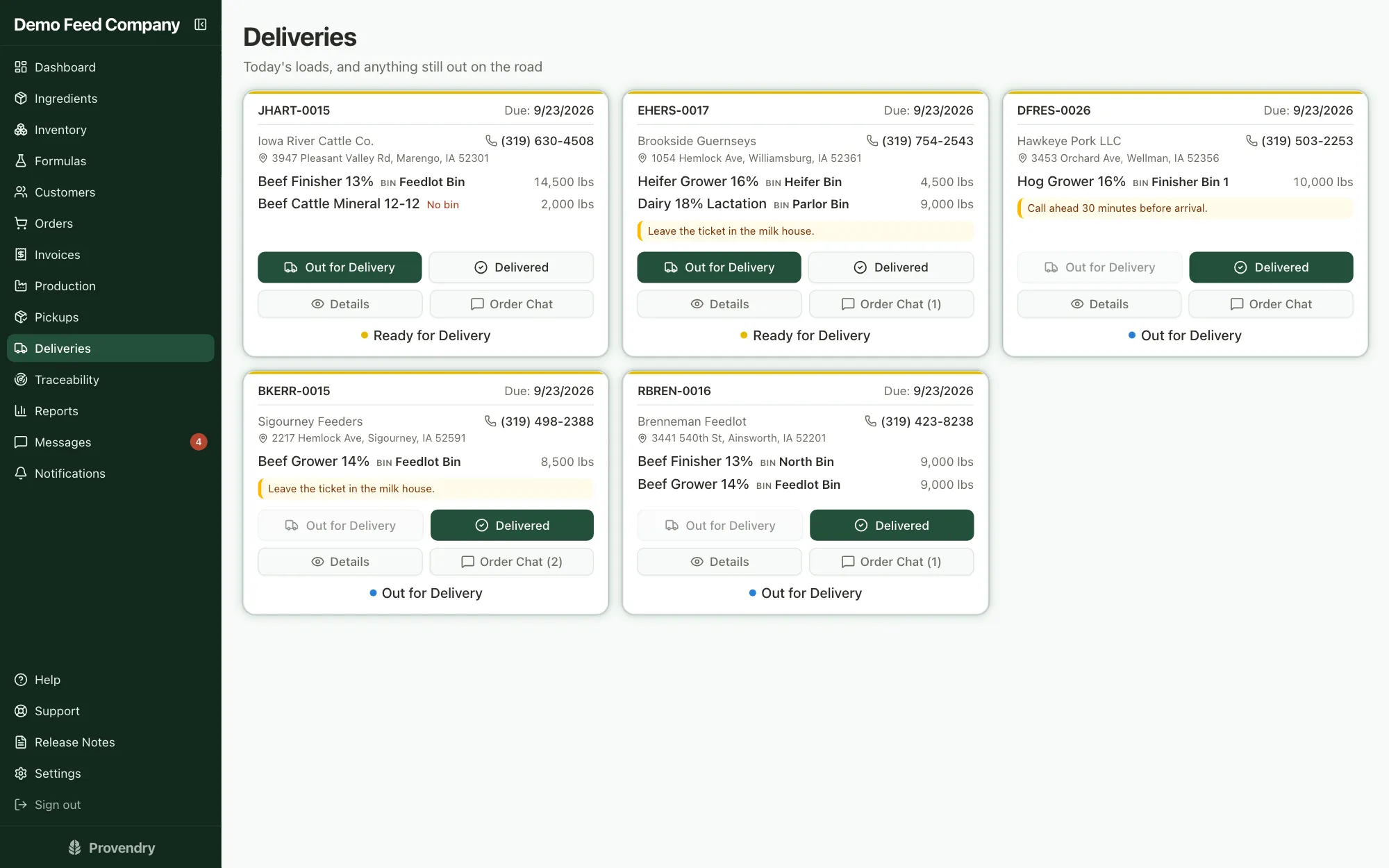
Drivers get a screen of the day's loads with the address, the bins and the instructions. The counter gets a board of what's waiting to be collected.
- One tap for Out for Delivery, one for Delivered
- A map link, the phone number and any delivery notes on every load
- The hauler, the compartments and the amount due on every load
- The driver records cash or a check at the farm, and is asked before a load with money owing is marked delivered
- Keeps working when the signal drops, once the day's loads have loaded
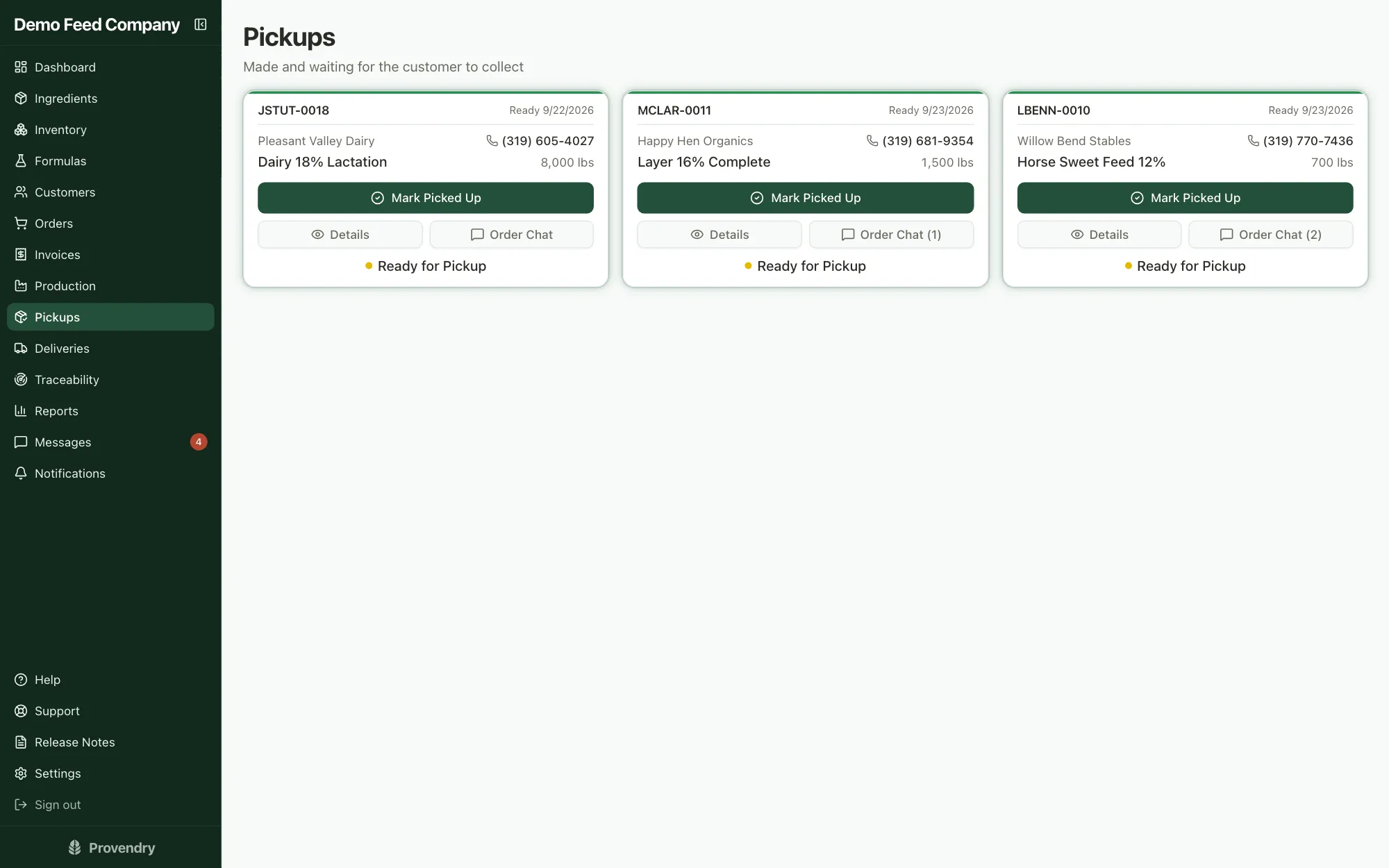
- A pickup board, customer name first, with one button to mark it collected
Trace any lot, forward or back, in seconds
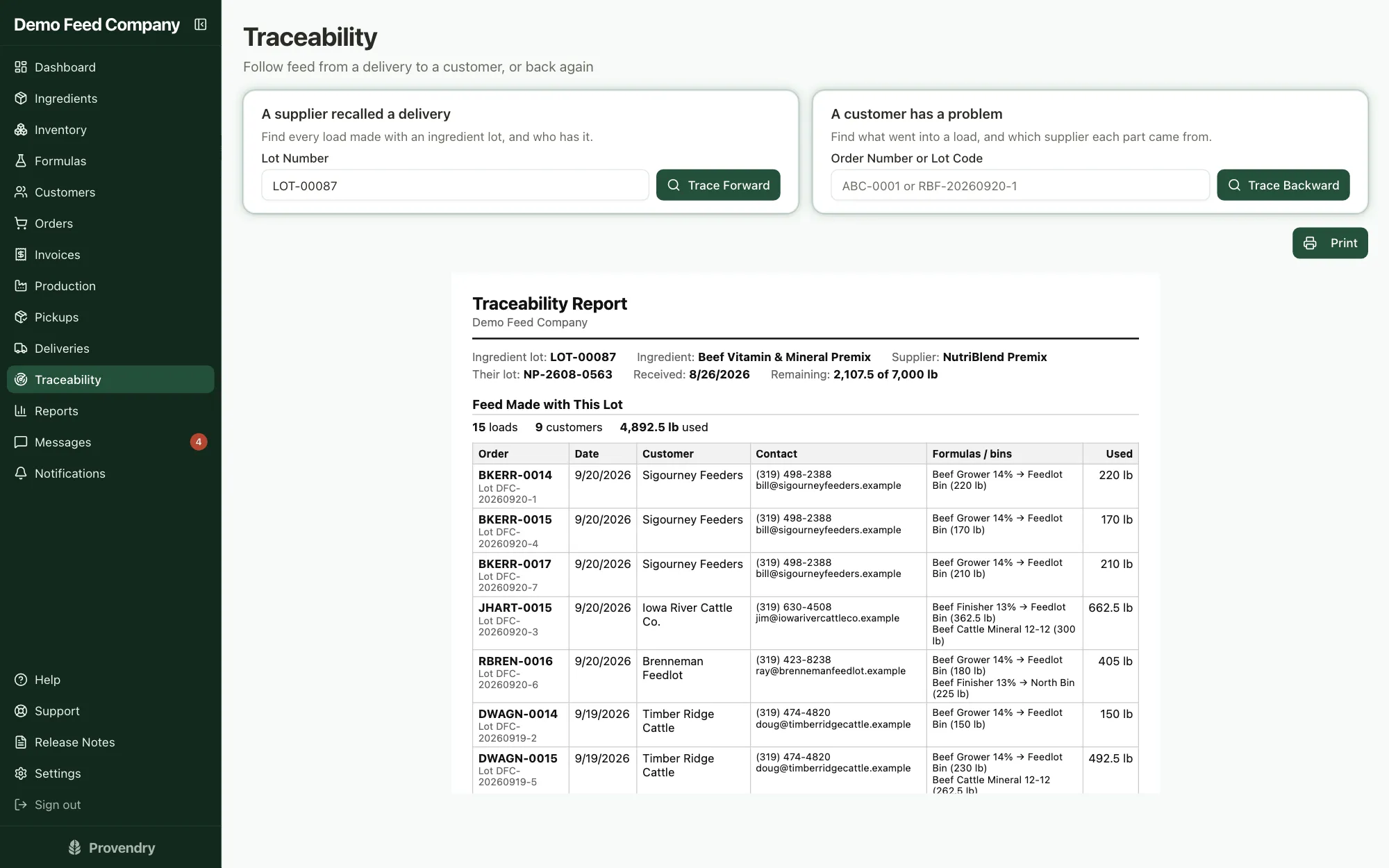
If a supplier recalls a delivery, type in their lot number and see every farm and every load it went into. If a customer calls about a load, trace it back to every ingredient lot that went into it.
- Search by your own lot number or the supplier's
- Each feed on an order carries its own lot code, onto the tag and the invoice
- Forward: every customer, order and bin that got the lot, and how much
- Backward: from an order or the lot code on a bag to the deliveries behind it
- A printable report to hand an inspector
Invoicing, statements and getting paid
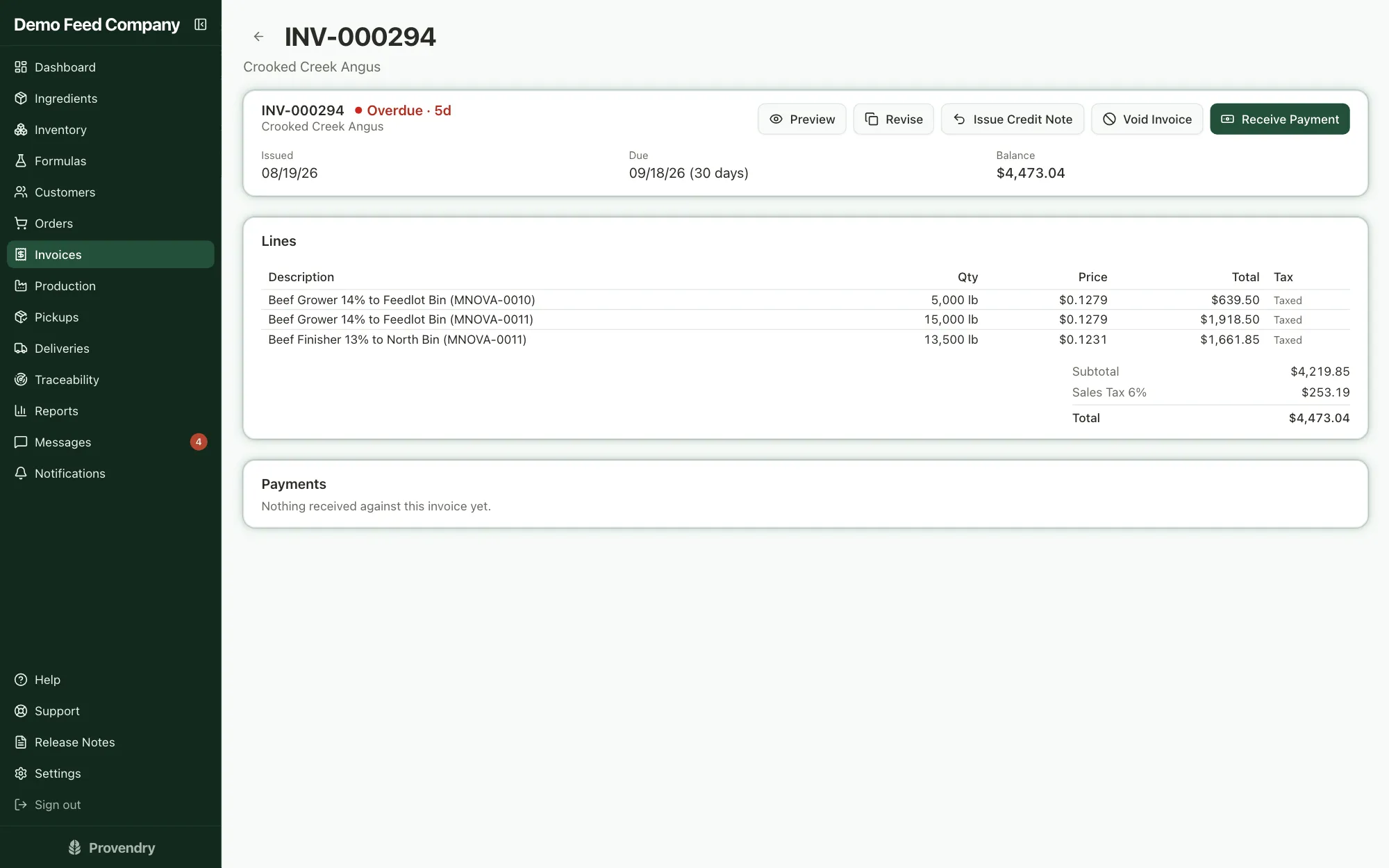
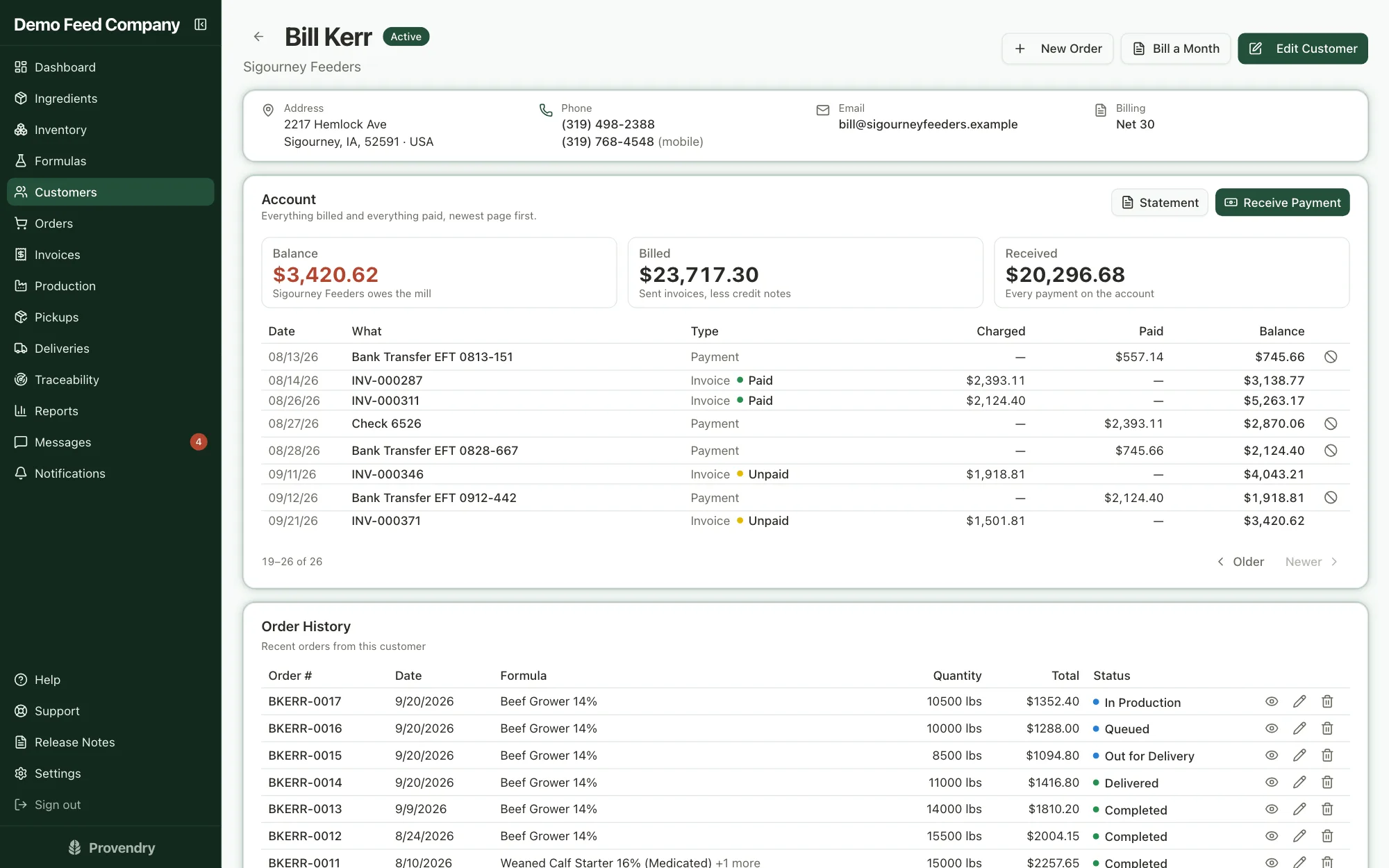
Delivered loads roll onto invoices, one at a time or the whole month at once, and go out by email with the PDF attached. Payments, credits and balances keep themselves straight.
- Invoice from the orders, automatically by each customer's billing rule, or in a month-end run
- Email with the PDF and a link to view it online; replies go to your office, not to us
- Revise a sent invoice and keep its number, issue credit notes, or void with a reason
- Sales tax rates, tax-exempt customers and lines
- Take one payment across several invoices, oldest first; anything over sits on account
- Cash and checks drivers collect wait for the office to confirm them
- Invoice just the difference when an order grows after it was billed
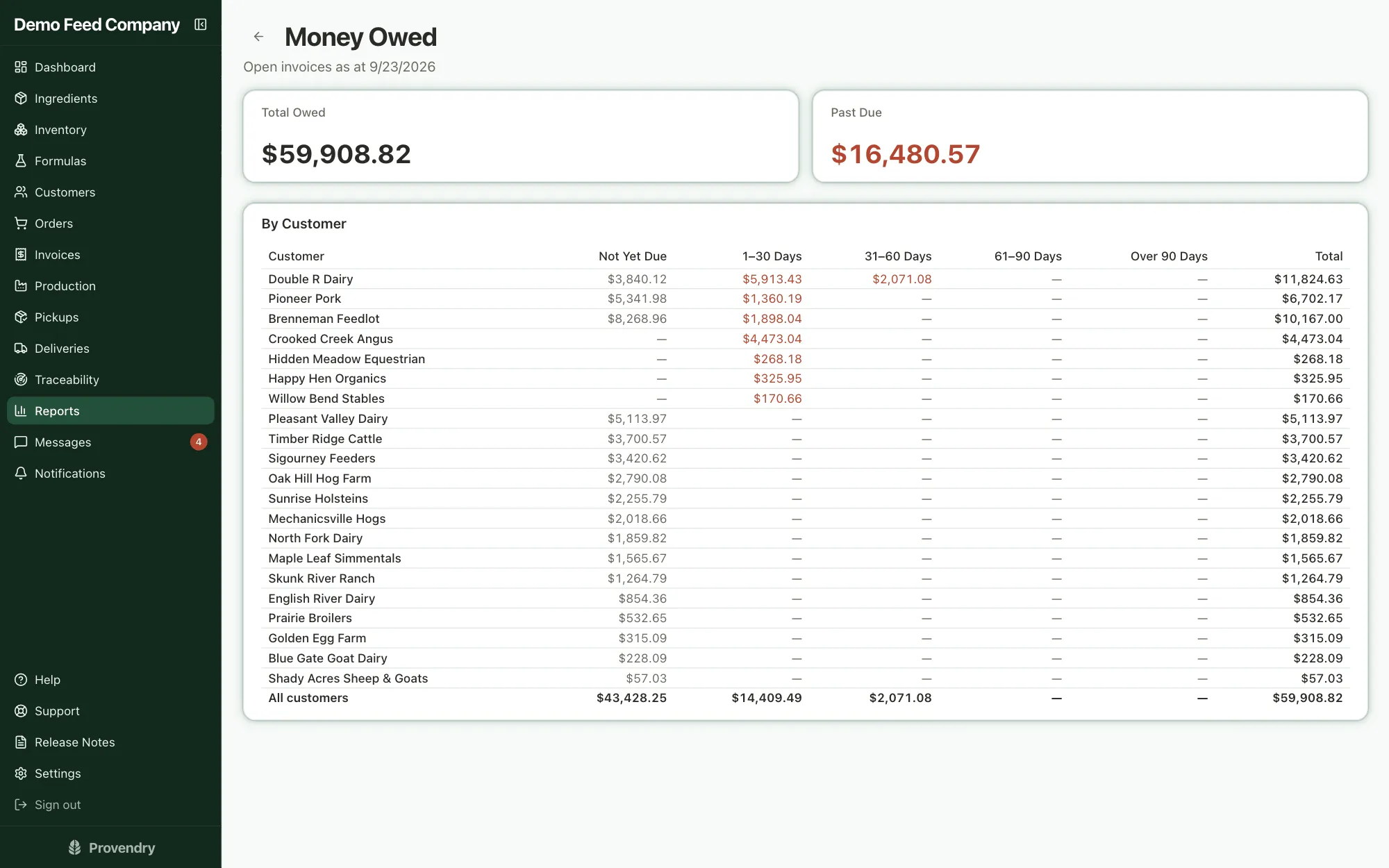
- Monthly statements, money owed by age, and an export for QuickBooks
- Customers can pay online by card or bank transfer, with no fee added by us on any payment
Reports on what actually made money
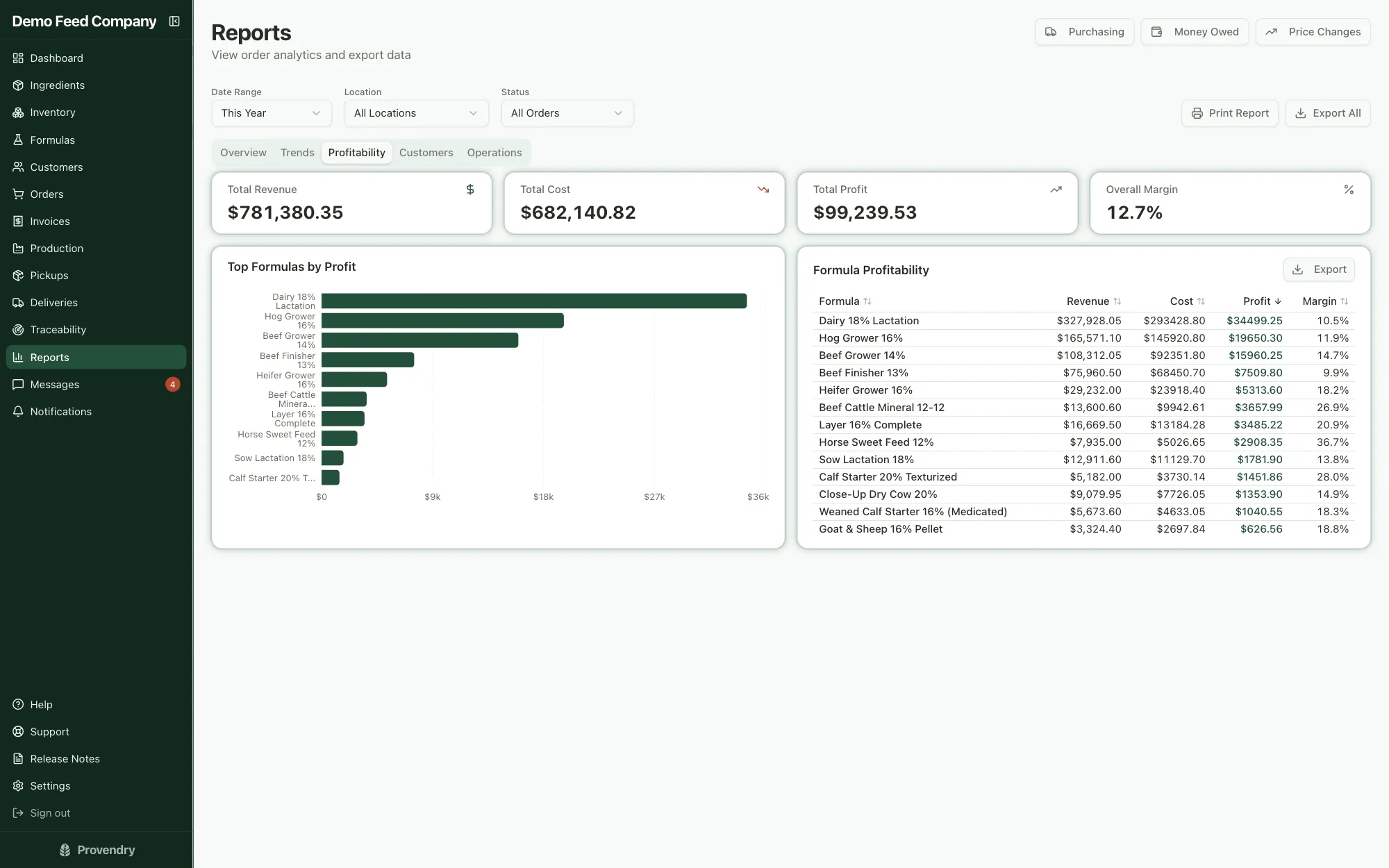
Formulas carry real ingredient costs and orders carry real prices, so the numbers are your own, not an estimate.
- Profit and margin for every formula
- Revenue and volume by month, and which customers are worth the most
- On-time rate and how long orders take, for any location
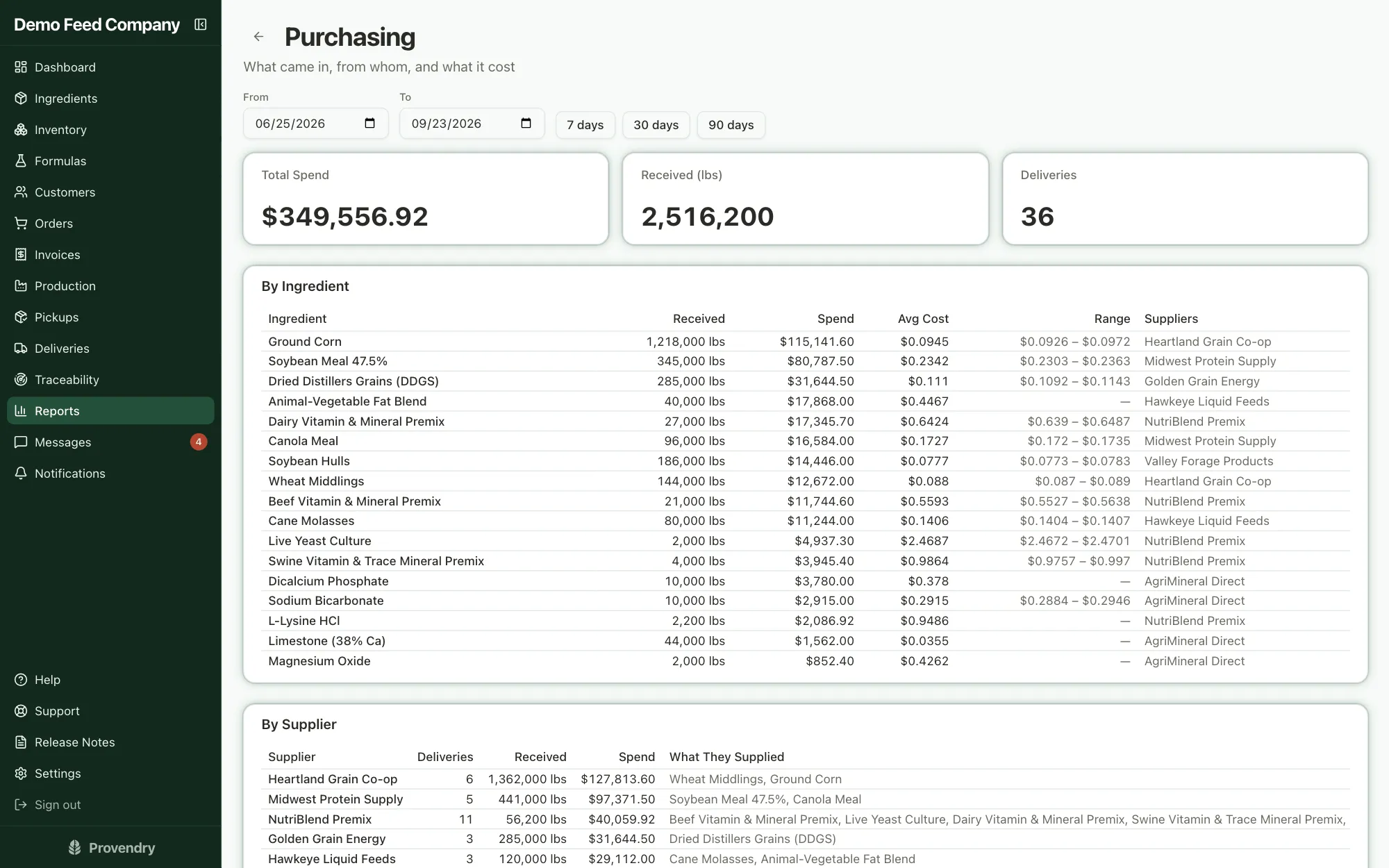
- Purchasing: what came in, from whom, and what it cost
- What to buy next, by supplier, from the orders already booked, and ingredient usage over any period
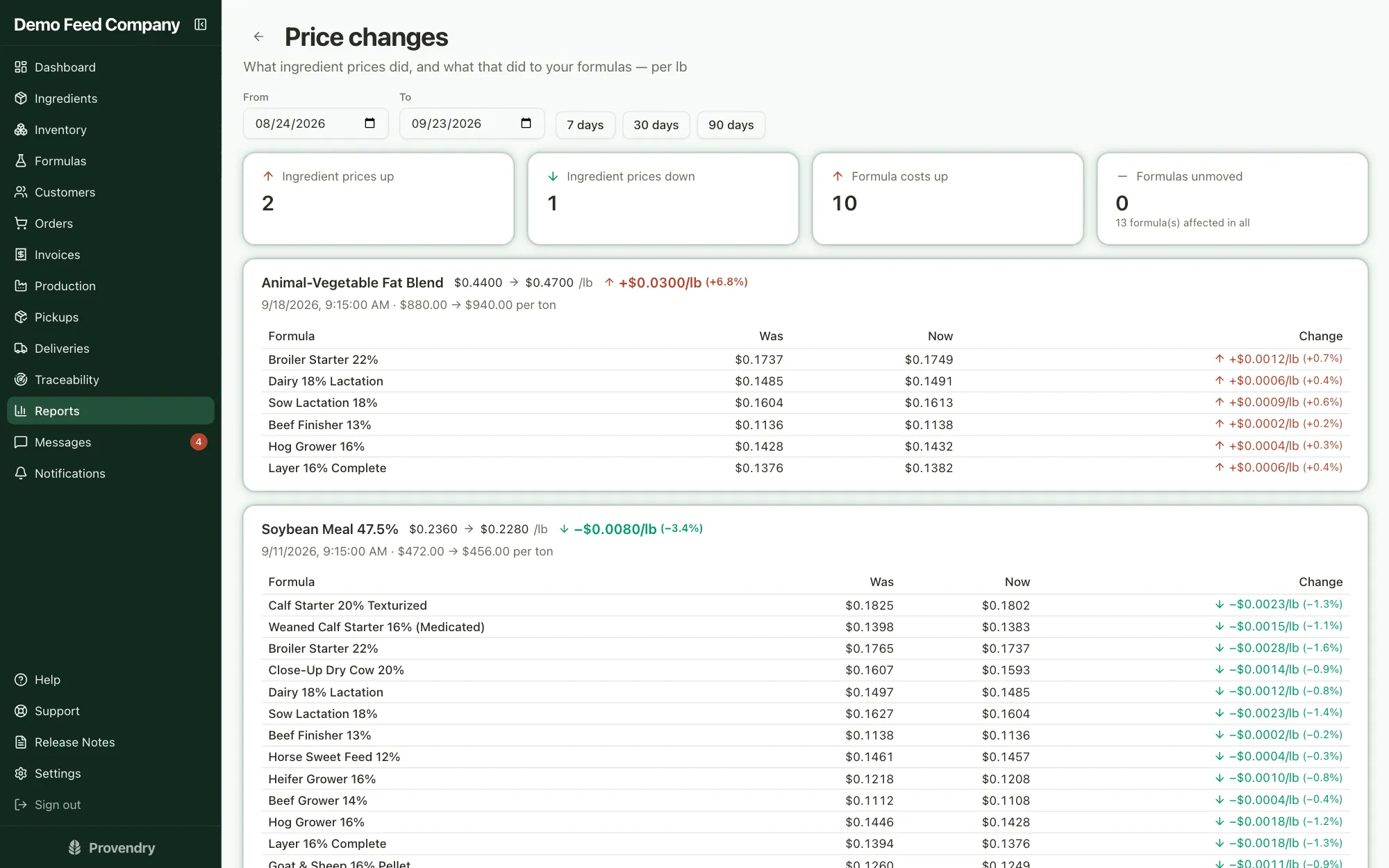
- Price changes: who changed an ingredient's price and every formula it moved
- Print or export any of it
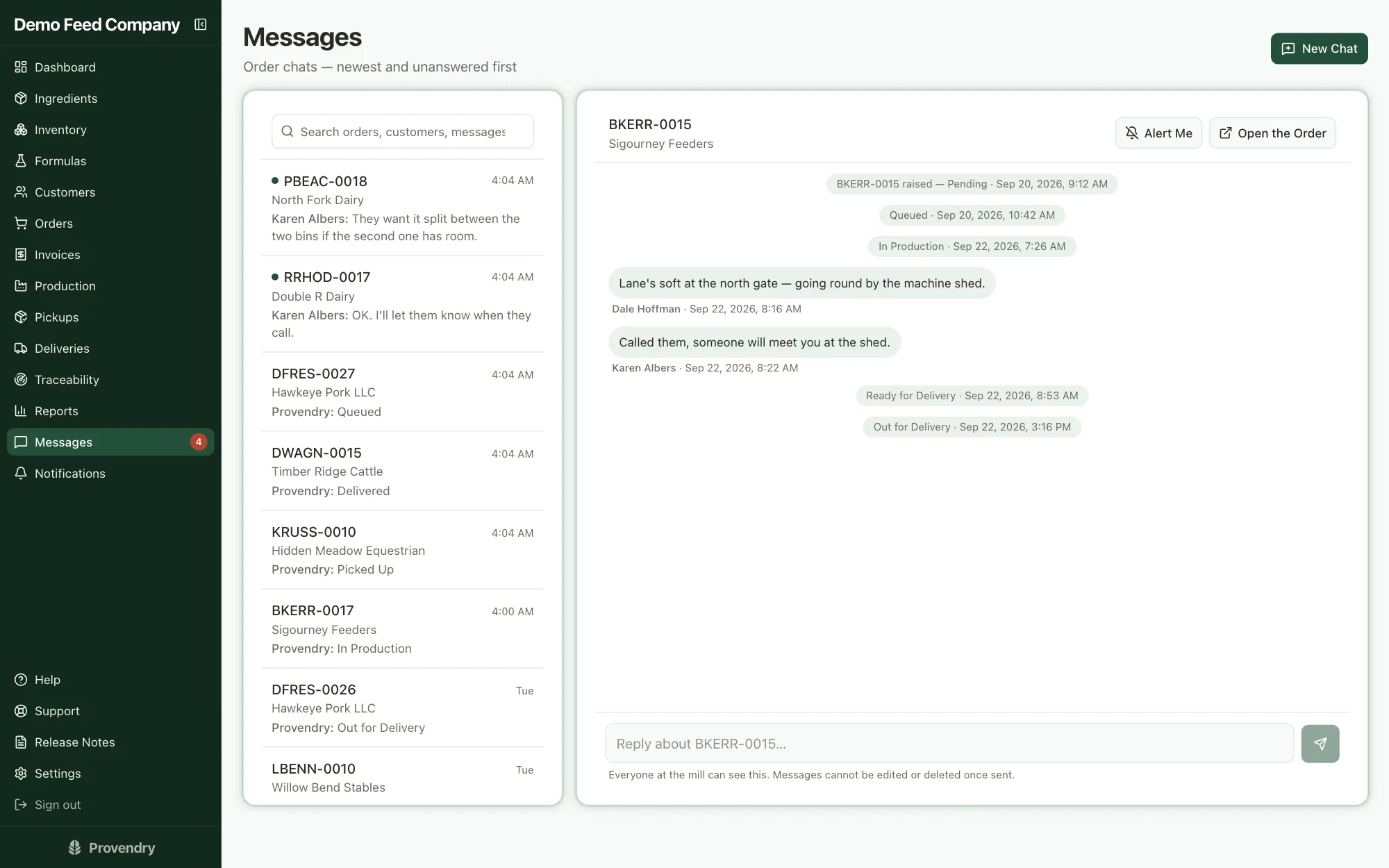
Order Chat instead of group texts
Every order has its own thread for the office, the floor, the counter and the driver. Status changes are written into it automatically, so the history of a load is in one place.
- Unread threads first, with search and a sound when something new comes in
- Opens from the production, pickup and delivery cards
- Nothing is ever deleted; finished loads tidy themselves away after a week
Your whole team, each seeing what they need
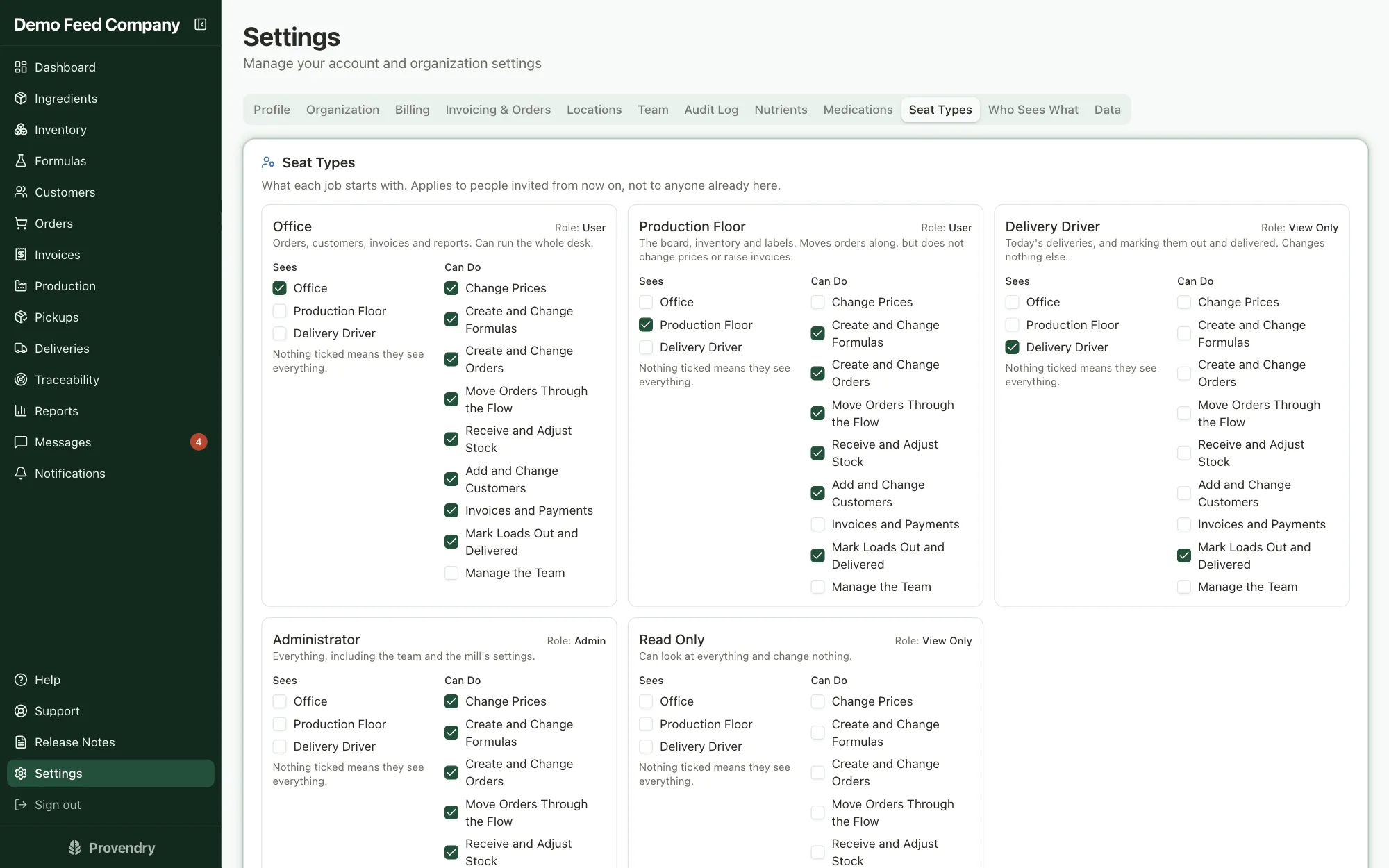
Add as many people as you like; you're never charged per seat. Each job starts with sensible access, and you decide who can change prices, formulas, orders or the team.
- Seat types for the office, the production floor, drivers, administrators and read-only
- Nine permissions, enforced by the database, not just hidden buttons
- Several mill locations under one account, with people assigned to theirs
- An audit log of every change that nobody can edit or delete
Also in every account
Help built in
- A help center written for feed mills, with instant search
- Ask a question in your own words and get an answer from the help articles
- Support tickets with a real person on the other end
A morning briefing
- The dashboard opens with what needs doing today: shortages, late loads, what's due and what's overdue
- Today's local weather alongside it
United States and Canada
- Pounds and tons, or kilograms and tonnes
- AAFCO tags for US mills, bilingual CFIA tags for Canadian mills
- Dollars US or Canadian, sales tax or GST/HST, states or provinces
Works on any device
- Runs in the browser on a computer, tablet or phone; nothing to install
- Every list turns into cards on a phone
- Add it to your home screen like an app
Your data stays yours
- Every mill's data is walled off from every other mill's in the database
- Download everything at any time: customers, formulas, orders, invoices, payments, stock and the audit log
- Other mills never see your formulas, customers or prices
Ready on day one
- Every trial opens with a fully loaded sample mill to click through
- A setup guide walks you through your own mill when you're ready
- One click clears the sample data when you go live
See it with your own mill's numbers
Seven days free, no card to start. Your account opens with a fully loaded sample mill, so everything on this page is there to click through on day one.